Skip to content
Free shipping on orders over $50! *
Free shipping on orders over $50!

B-hyve XR Smart Indoor/Outdoor Sprinkler Timer 8 Station 57985

SKU 57985
  • Smart control of 24 VAC sprinkler and drip systems with up to 16 zones/stations
  • Part of the comprehensive B-hyve Smart water management device ecosystem
  • EPA WaterSense label qualifies it for rebates in many cities and water districts
  • Engineered for indoor or outdoor locations with exposure to elements
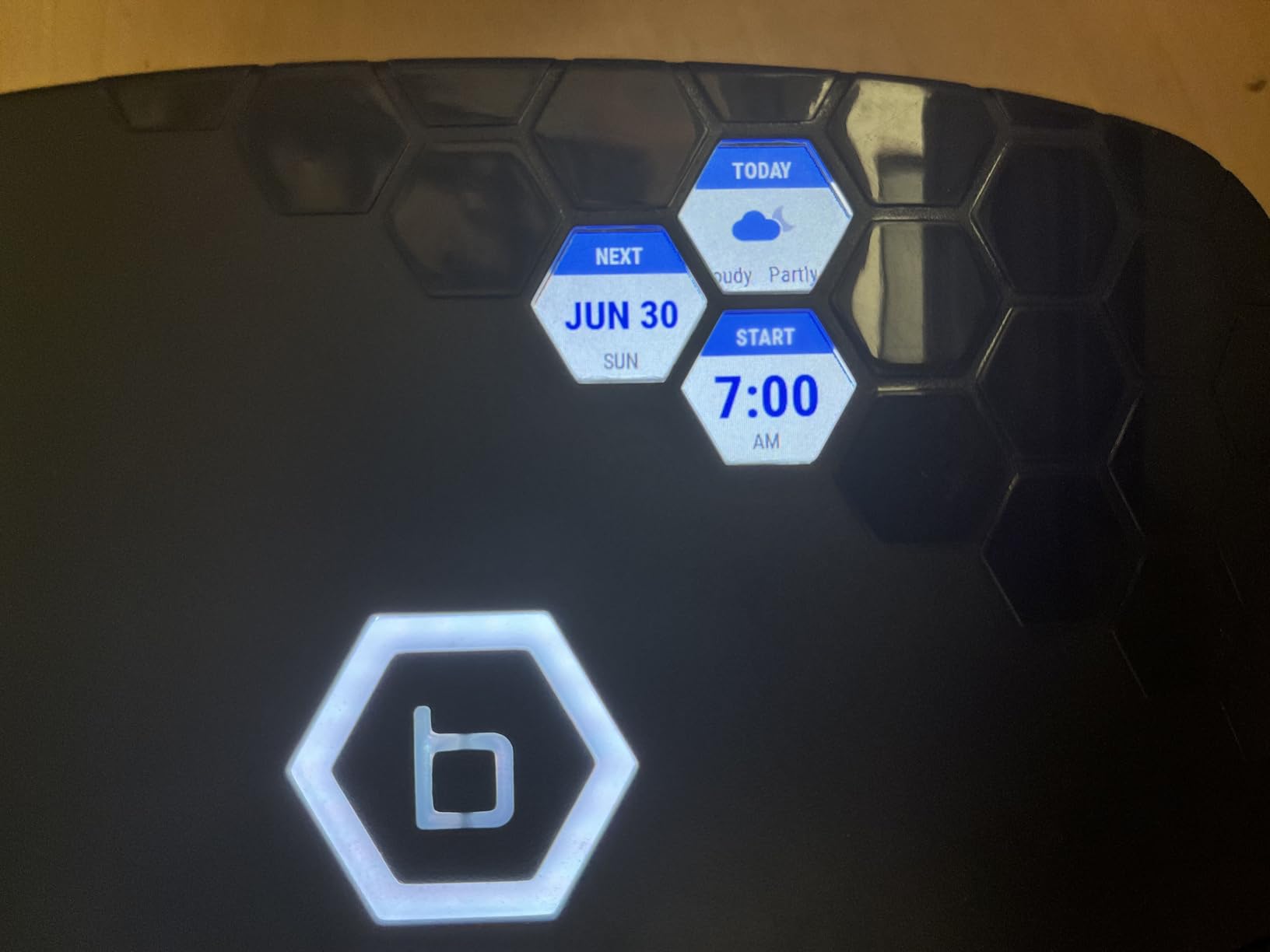
  • Three full-color, active-matrix displays and watering light ring show weather and watering status by zone
  • Capable of powering a pump start relay and one valve solenoid at the same time
  • Bluetooth and 2.4/5 GHz dual-band Wi-Fi ensure reliable connectivity and control
  • Hyperlocal weather data automatically determines when and how long to water
  • Data log records watering by day, month, year, and year-over-year comparison
  • A, B, C, and D program slots allow you to set up to four custom watering schedules
  • Each custom program can have multiple start times for cycle and soak windows
  • Manual mode allows you to run one zone, select zones or programs, or all zones
  • Rain delay feature allows you to skip watering of zones during rain or freeze
  • Digital lock-out prevents unwanted tampering at device
  • Lights-off stealth mode prevents unwanted attention if mounted outside
  • Compatible with 24 VAC valves from Orbit, Hydro-Rain, and other major brands
  • Integrates with Google and Alexa smart home control
  • B-hyve App is free and available on iOS or Android through the App Store or the Google Play Store
Original price $169.99 - Original price $169.99
Original price
$169.99
$169.99 - $169.99
Current price $169.99
Availability:
in stock, ready to be shipped

Free returns on all eligible orders

You have 30 days to request a return. All sale items are final sale.

More Details

The B-hyve XR smart sprinkler controller is the ultimate high-performance sprinkler timer for the best-looking yard on the block. Make landscaping water waste a thing of the past with a Wi-Fi-enabled smart sprinkler system that allows you to easily maintain your property. Dual Wi-Fi signals deliver a strong, consistent signal so you can make changes to your watering schedule from anywhere with your smartphone. The 8 or 16 zones and support for wireless valves make it easy to add that extra drip zone for the garden.

The B-hyve XR Smart Indoor/Outdoor Irrigation Controller is also EPA WaterSense® labeled making it rebate-eligible by many water districts. Check rebate eligibility in your district HERE.  

Technical Specifications

Item ID:

Shipping information

We offer free standard shipping on orders over $50. Most orders ship within 3–5 business days (placed before 12 PM MT, Mon–Fri). A tracking number will be emailed once your order ships, and you can also check order status in your account. Note that some oversized or heavy items (large pipe lengths, valve boxes, pumps) may not qualify for free shipping. [View full shipping details →]

Returns & warranty

Products purchased through Orbitonline.com are eligible for a refund within the first 30 days of the original order placement. We accept returns on a case-by-case basis. Accepted returned products must be new and unused and in their original packaging. We reserve the right to verify the condition of all returned products before determining refund or exchange eligibility. Orders above $500.00 may be subject to return freight charges and a restocking fee.

  • 5 stars: 219 (63%)
  • 4 stars: 62 (18%)
  • 3 stars: 34 (10%)
  • 2 stars: 12 (3%)
  • 1 star: 19 (5%)
F
Floyd K.
B-Hyve XR 8 Station

Easy Purchase, fast shipping, easy install, quick wireless connection, works better than the b hyve that it is replacing.
P
Phil C.
Love the timer

Love the timer. Easy to use from the app anywhere you are in the world.
D
Dean
Great Smart Sprinkler System and outstanding

Great Smart Sprinkler System and outstanding customer service
C
Chris P.
B-hyve does NOT link to WiFi

Followed all instructions perfectly but unit does not link to WiFi. It sees my home WifI but times out after a couple minutes (no linkage). Very frustrating. I had the same B-hyve irrigation controller previously in the same location and it was able to connect to my home WiFi. Called Orbit technical assist a couple times: they hung up after 5min the first time and no success the second time.
Thank you for letting us know about your experience with our XR timer and Customer Care team. We will review your conversations to see how we can improve in the future and someone from our Customer Care team will be reaching back out to help get your timer connected. Have a great rest of your day.

M
Mohamed C.
Perfecto

Funciona perfecto la app es muy amigable y el diseño esta excelente moderno lo recomiendo
M
Marana B.
Easy Installation and Wifi connection

One of the easiest installation/wifi connections/and programming

J
Julian
It works,

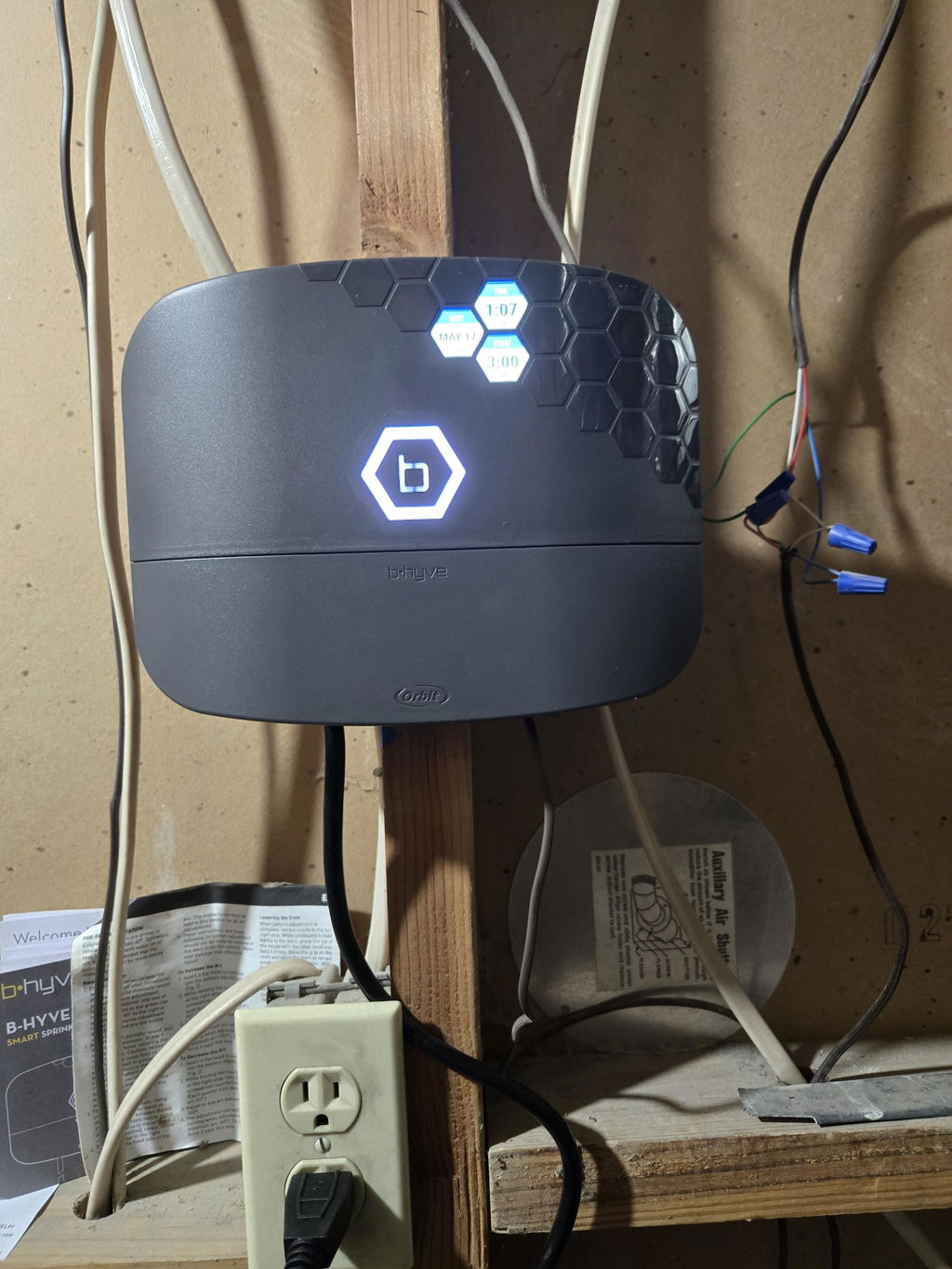
I had problems connecting to Wi-Fi like many others, I connected it Bluetooth first to se if I can control it that way, it worked.Afterwards I turned my routers security off, so no password would be needed, I then tried connecting to Wi-Fi and it worked. I did an update to the bhyve. Then I set up my zones. After everything was set up I turned security back on for the router and did an update WiFi settings in the Bhyve and it connected. I turned smart watering off because I want to control it myself and not the weather conditions.It works great when it’s working, only issues I’m having is the Wi-Fi disconnects, it still waters and follow schedule, I just can’t see or get notifications.if I’m home all I do is hit the update Wi-Fi and it finds my Wi-Fi and connects. TestI decided to turn off security on the guess network just to see if it still disconnects from Wi-Fi. I’m using the 2.4Ghz band and my SSID broadcast is set to off, this makes it invisible to others and you actually have to know the name of it to connect. If this works then I will try using WEP2 on router and b hyve , my thinking is this b hyve device uses lower level security better like WEP1 WEP2, I will update findingsThe image I have 2 zones , the power cord is connected to an outlet for now, but I have hard wires from my old system, so I’m am going to open unit up and remove cord, and wire nut the hard wires in. I saw it on you tube

R
Ron G.
This water controller is amazing

I have a smart home in every way. Now it includes irrigation control as well. The B-Hyve is very easy to install. I had the entire system setup in about an hour including mounting the device. I have learned everything there is to know about the device and connected it to Alexa. I feel very confident that it will save water and end needless watering. I will definitely rate the B-Hybe as 5 stars.

C
Clif
Pretty smart (be sure to jumper the rain sensor if you don't have one)

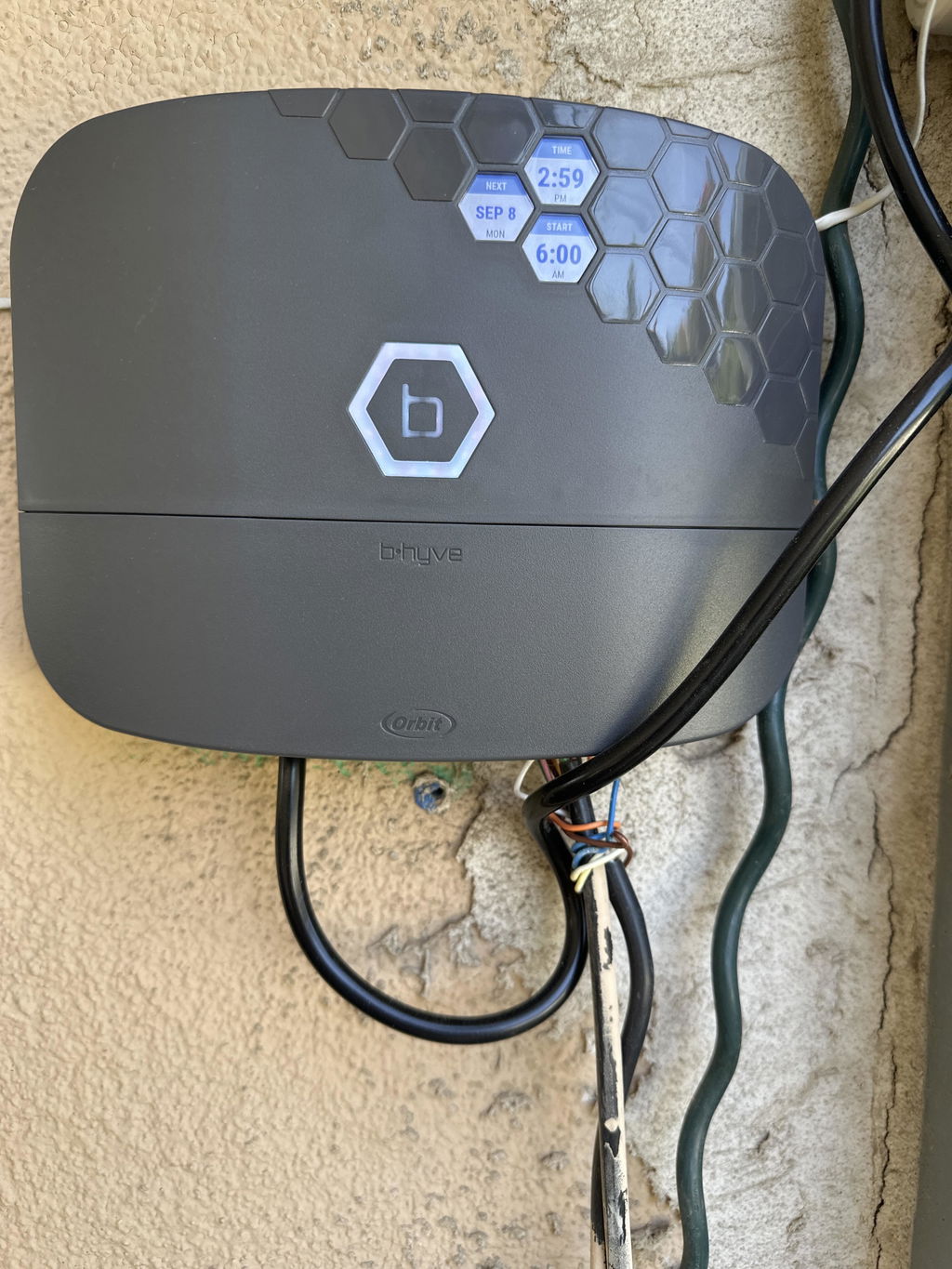
Works well. Hot-swapped with my old dead controller in twenty minutes, and configured all of my zones in another twenty. The app UI and logic could use some tweaks, like not hiding primary features under secondary menus, and the ability to create more than four programs, but the running UI is nice, the notifications work well, the watering history is great to have, and continuing to run even without an ongoing internet connection and controlling directly via bluetooth are excellent features.One caveat for anyone else out there who can't figure out why their programs will run manually, but are skipped during scheduled run times, due to a warning called out in the app: "Watering is suspended because of a Rain Sensor", and a yellow blinking B at the box, with the information of "DELAY: Rain Sensor", when you DON'T HAVE A RAIN SENSOR.The solution is to jumper the two rain sensor leads to each other.I had to discover this the hard way because my unit came without a jumper preinstalled or in the box, and so I was at a complete loss, digging through various online forums, trying to understand why my sprinkler controller was apparently communicating with a ghost rain sensor, and where in the various settings in the companion app that I could just disable it (you can't), or discover how rain sensors actually work electrically, until I just decided to try to short-circuit, and 5 seconds later my unit display went white, and ran its timed schedule.

d
dezandseth
Why Did I Wait So Long???

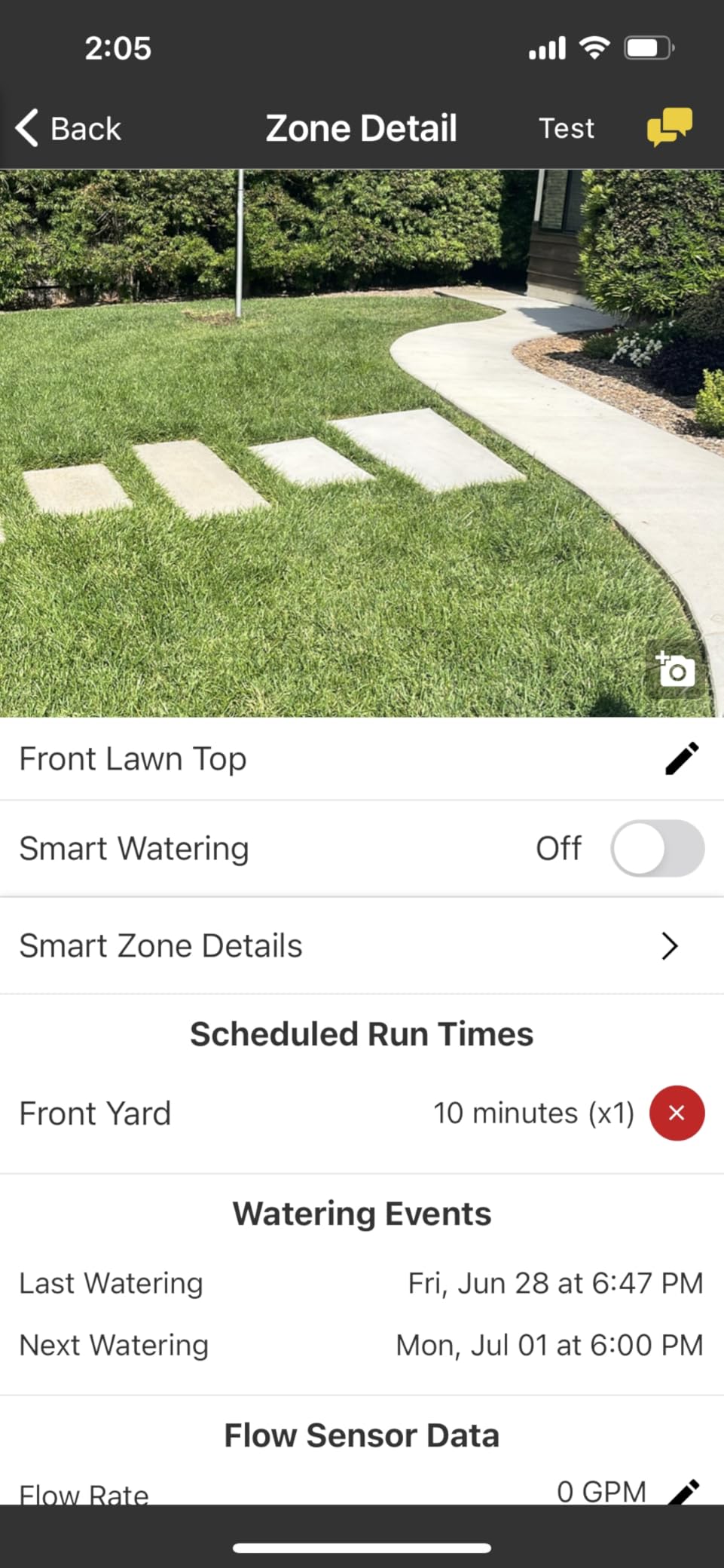
We have a lot of sprinkler valves. We had an older Orbit controller that would do 5 stations in our front yard and another controller for 8 stations in our backyard. Both controllers were in my garage/workshop but mounted on opposite walls. The one for the backyard was always blocked by my woodworking equipment so it was a hassle to get to when we wanted to run a station manually or test a station for whatever reason. Additionally, if we were in either yard working on a sprinkler or planting new plants and wanted to test it, we'd have to go all the over to the controller, push through the buttons and run it. I know, i know, first world problems.We've been considering this B-Hyve unit for a while and now that we finally pulled the trigger I can't believe we waited so long!Wiring the sprinklers into the unit was easy. I recommend having a small flathead screwdriver and needle nose pliers handy as these might make it easier to get the skinny wires into their slots.Programming the unit was very straightforward and our phones were connected to the app in no time.It's so nice to be able to name the stations AND associate a photo with each station.The most helpful thing on the planet is to be able to be working at the far corner of the yard and be able to just run a specific sprinkler within about 8 seconds. Just open the app, click "water manually", select the station, the duration, start! This B-Hyve makes it so easy to run the sprinks.Inside the panel cover you can find instructions for running the stations in old school manual mode in the event that you may be having wi-fi problems at the moment. The print is very small though, so keep that in mind.*ONE CONCERN*After the first week of using the B-Hyve we noticed the button lit up RED and said we had a fault at station 5. We did a quick search online and came to the conclusion that it could be our solenoid at that station was bad. After testing the solenoid we found that to be the culprit. We replaced it with a spare we already had and we were back in business. About a week and a half later we had another RED fault, this time for station 7. I thought okay, i'll take care of that this weekend. A couple days later I noticed the RED fault for station 8 as well. So now I e got faults on 7 and 8 at the same time. One day later I noticed the fault for station 8 simply disappeared. So I replaced the solenoid on station 7 and it was all good. It's been a couple weeks now and no new faults have shown up. I was concerned that the B-Hyve was perhaps sending too much electricity to the valves and blowing the solenoids but I also realize solenoids go bad and maybe it was just coincidence. Time will tell.I don't use the water saving feature...i don't really care about "saving the planet" and I have my program set to run on a schedule that works best for the beauty of our landscape.The B-Hyve supposedly shows your local weather info but even after entering my 92026 code during setup, i've noticed the weather it tells me is FAR from accurate. No big deal because I have eyes and an actual weather app.*MY ONLY COMPLAINT*While this B-Hyve can do 16 stations, it still can ONLY have 4 programs (A,B,C,D) which has caused me to adjust the schedule of a couple of my stations and I have to run them at time when I wasn't running them before with my old system. ORBIT...if you read this, PLEASE do a software update that allows us to add more programs....like at least A,B,C,D,E,F,G. That would be SO SO SO HELPFUL!!🙌🏻All in all, very happy with the B-Hyve. Wish we would've gotten this thing a few years ago!

C
Caryatid
Super easy to use

So far I love this controller. I’ve had it for a few weeks now. I am setting up micro-sprayers on the drip system this is controlling. I can turn it on and off from my phone, which saves me running over to the controller to turn on the zone, running back to look, and running back to turn it off again. Since I have 30 micro sprays, that’s a lot of running I don’t have to do.I like the smart watering so far. It’s easy to set up and runs on its own. I haven’t tried making any adjustments to it yet.There are a few things I am hoping they will modify in how it works;1. You can choose “drip” as the sprinkler type but then you can only have up to 99 drippers on a zone, which is way to low if you are using regular drip line. It seems to be clearly based on a standard spray coverage; it doesn’t as for the are of the zone nor the output of the drippers, so I’m pretty skeptical of its soil moisture calculations and generally any output information.2. It has me name each zone with words like: North Tree Lawn. I also can take a picture which shows up in the app. But, when I go to set up the zone, it only gives me the NUMBER of the zone. I have to do back, back, back in the app to figure out which number my named zone is.These issues are minor, I am hoping Orbit reads reviews. I’ve never used such an easy to set up controller. I really love it.

M
MK
Upgrade to B-Hyve XR from Hunter Model 3001

I was able to program, move wires and connect them all with ease. It took me a total of 30 min to set it on the wall and program it. Was a breeze right?...not exactly..I have 10 zones and when I manually tested the zones. They all came on live but the valves were not opening. I called tech support and here came Francine (spelling?)1) patiently watched me rewire stuff, As they were all labled, ot wasn't hard.2) as you seeing the hunter picture.. there is no Com wire. There are onlyWhite wires for the zonesTwo sensor wiresThree wires from the Hunter AdapterONE RED GROUND WIRE. Connected to the Ground bolt on Hunter.3) Since there was no Ground nut in the BHYVE, I ignored that.4) Since the adapter is already wired into the transformer of BHYVE. I did not worry about connecting that.5) Sensor wires were connected back..6) only thing left hanging was the thick red Ground wire. Then again Ground was needed...as there was no nut to connect it to.7) when we restarted the unit noting working.It was not turing the Valve open. Since it was an old Hunter, and they may have rigged it for a work around we tried every permutation of the sensor wire, as it actually Green lit the BHYVE, yet the valves did not open.Manually went and opened each Valve and they all worked. Oh. The hunter was working before I moved it to BHYVE... throwing out there. 😀So she figured that We need to have a COM connection, and asked me to look around to see if anything is connected to a relay.. etc. Nope these were the wires..and only thing that was a lone ranger was the Red Ground wire that was connected to the Ground nut in hunter..Then she came up with a suggestion to put the Labled Red GROUND WIRE, to the first CoM in BHYVE unit...well. that did it.. works like a charm now. Thank you Francine...

R
Research360
Great timer but keep out of the heat!

Had to buy another one after 2 yrs. First one melted in the sun. We are in California in an area where temps reach 110f (44c) which is hot but not crazy hot. Looked for another brand cause I was dissatisfied but could not find one to do the same performance for the price. I put a shade system over the new one. See what happens.

M
Mike
Easy to install

Simple to install, done on a Sunday afternoon in 45 minutes, includes the removal of the old unit.

I
Iggy T.
To B-hyve or Not to B-hyve.. that is the question?

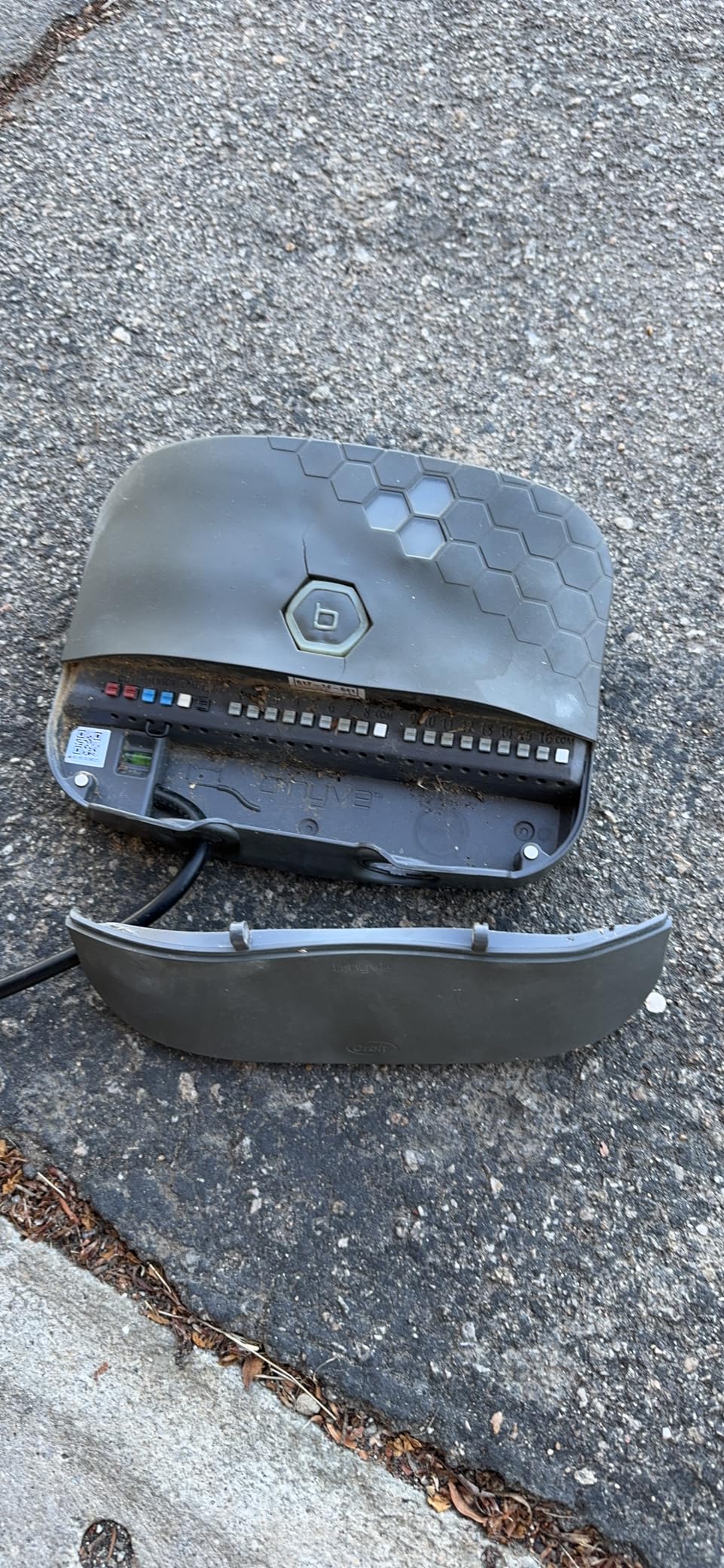
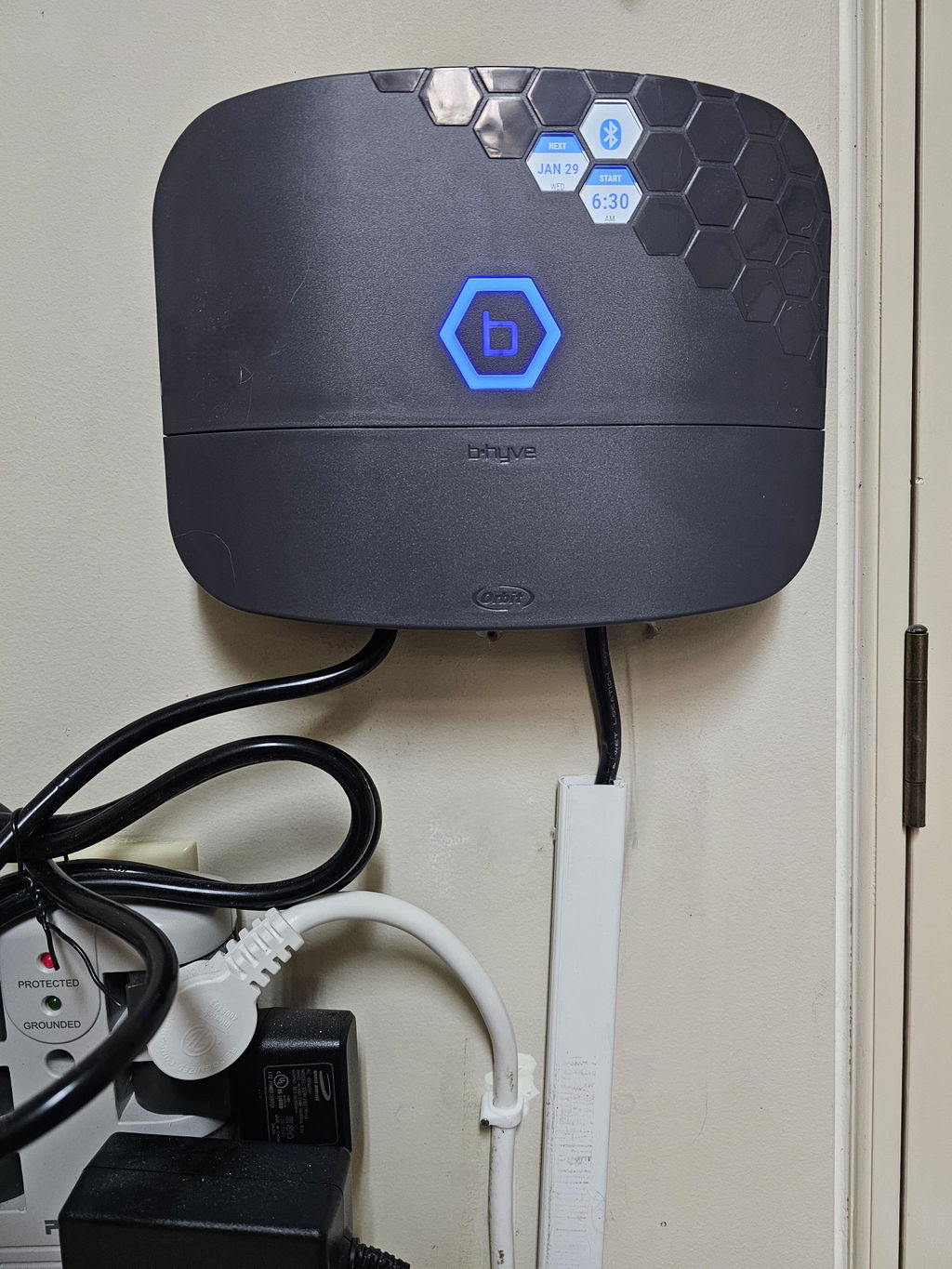
The B-hyve XR Smart 8 Zone controller was what I needed to get into the 21st Century.My old 2005 Orbit was rock solid but time to move forward as I needed a controller that I can monitor and control while travelling away from home. Being in the hot summer Arizona is critical for my drip system. If I have a main drip system main line blow out I need to know ASAP and this does the trick in telling me.The APP worked well on my iPhone 14 with ios16. Setup and mounting were easy as I had new wiring, valves and a wall location inside my garage picked out ahead of my delivery of my controller.I did read the instructions a few times prior and you will need firmware updates as soon as your attach to your smart phone bluetooth and home wifi network. Firmware update took a few minutes.Instructions leaflet has very small print and you must have reading glasses. lolOne thing I can suggest to ORBIT about the XR is to clearly clarify the difference between standard everyday watering schedule and the SMART weather, soil, climate setup scheduling.The SMART weather scheduling needs to be explained in detail manner so a beginner/newbie can understand.Terminology definitions is a must as some terms I had no idea what they meant. The existing written instruction and help area online was written by someone who knows the system but can't write for beginner/newbie owners. You always write to the lowest denominator. This needs to be done ASAP to eliminate many frustrated customers and calls to a human which is near impossible.Orbit says it will have an email address soon to ask questions but presently doesn't exist.So my overall opinion is:I give ORBIT 4 Stars because they need to consider the Customer 1st instead of themselves and spend more $ on good and clear instructions for Beginners like myself.I like the SMART watering system and I stayed with ODD day watering until I feel confident with the weather reporting station locally.I presently have my system in a Rain Delay for 7 days and stopped all schedules which is a nice feature that can be controlled by the APP.I also later learned that all the control lights can be turned off on the controller screens but had to dig deep to find that switch.Time will tell how well the controller holds up.Additionally:Why is the instructions of LEDs/Manual control only behind the cover? Why not have it in the manual or even better online with big print. See attached PictureI did read that in the past some have had to do a full factory reset to eliminate some problems in programming.I also want to know if my setup is saved on my APP or online just in case I have to do a factory reset.Hope this review is helpful to new and future owners.Great controller but ORBIT needs some work on itself.

S
Southern S.
Well Thought Out Irrigation Controller

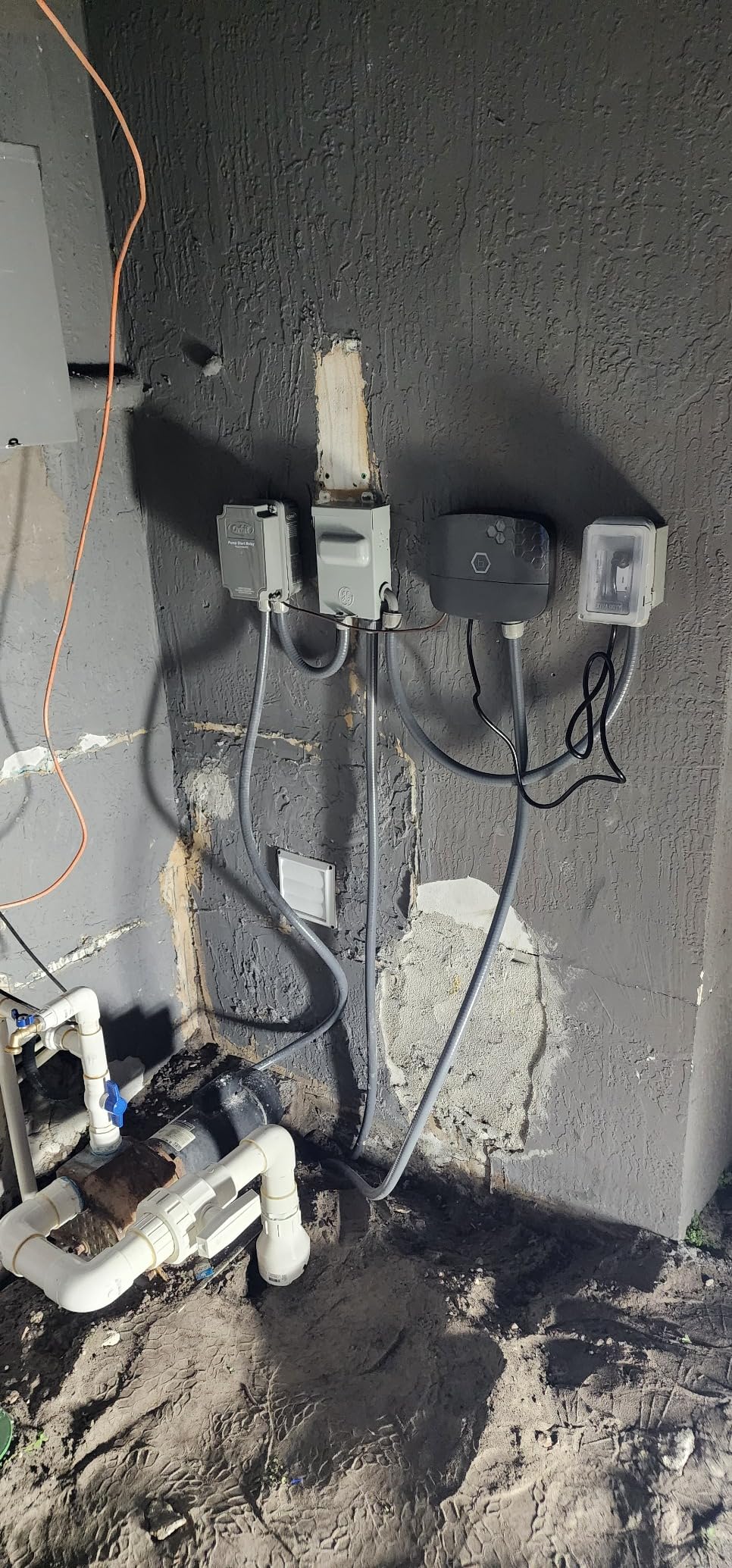
I replaced a 25 year old RainBird 16 zone controller with the Bhyve 16 Zone Controller. It has been active for a couple of weeks and I will follow up periodically with additional comments.I can say, today, that the installation, integration and configuration of the system was intuitive and well documented. The instructions were a bit sparse at first glance but soon became secondary as the device self connects, via the iOS application on my phone. The configuration of the device and the programming of irrigation strategies was very straightforward. The system was operational about 2 hours including securing the device to my brick wall and adding a GFi receptacle.I have an outside, "Access Point", for my WIFI that is very robust and had no difficulties finding and maintaining a good connection. I suspect there could be challenges if your WIFI connection is not strong.Connecting the old wiring to the Bhyve is vey straightforward. Requiring only stripped wire ends, each connection is made by pressing a pushbutton, inserting a wire into a small hole under the pushbutton and releasing the button. Please note the "common" connections, one on each bank of 8 control outputs. Typically this is where you will connect the white wires in the wire bundles coming from your valves.Having made the connections, I used the App to test each zone. Being able to walk around the yard and start and stop the various zones is VERY useful.I then programed the device, again via a very good user interface on my phone. 16 zones completed in less than 5 minutes.The system automatically located and integrated the local weather forecast to monitor for rain forecasts. on several occasions the system has, "pushed", the day's irrigation because of rain being forecast. Note that you can always force the delayed irrigation with one click.I like getting the updates on my phone informing me of the start of the day's schedule, it's completion or its delay. There is a certain Kool factor for me in seeing this sort of update.I had a bit of a challenge integrating the Bhyve with my ALEXA account, not realizing you have to add the, "Alexa Skill" to your home Alexa Account. When I added the skill everything connected seamlessly. Note to Orbit: A bit more in the instruction sheet about the ALEXA connection would be helpful.I have not used the, "Smart Watering", programming capabilities built into the software. There are no restrictions in the use of water for irrigation in Auburn, Al.All in All, the Bhyve System was a easy install, and has performed as expected. I wanted to share my experience and will update this in 6 months to share my longer term take on its performance.Bill...Southern Smoke.

M
Marco

hello,
I write from Italy.
Is there a 240v version?
Thanks

Orbit

There is a 220V available in European regions so you would need to reach out to your local distributor for this version.

W
William E.M.

can the timer be accessed and controlled via smart phone ap

Orbit

Yes, all of our B-hyve timers can be controlled with our B-hyve mobile app.

Related categories

Free Shipping

When you spend $50 or more

Here to Help

Get in touch with us 7 days a week

Easy Exchanges

Return or exchange within 30 days

Compare products

{"one"=>"Select 2 or 3 items to compare", "other"=>"{{ count }} of 3 items selected"}

B-hyve XR Smart Indoor/Outdoor Sprinkler Timer 8 Station 57985 — Orbit Skip to content
Free shipping on orders over $50! *
Free shipping on orders over $50!

B-hyve XR Smart Indoor/Outdoor Sprinkler Timer 8 Station 57985

SKU 57985
  • Smart control of 24 VAC sprinkler and drip systems with up to 16 zones/stations
  • Part of the comprehensive B-hyve Smart water management device ecosystem
  • EPA WaterSense label qualifies it for rebates in many cities and water districts
  • Engineered for indoor or outdoor locations with exposure to elements
  • Three full-color, active-matrix displays and watering light ring show weather and watering status by zone
  • Capable of powering a pump start relay and one valve solenoid at the same time
  • Bluetooth and 2.4/5 GHz dual-band Wi-Fi ensure reliable connectivity and control
  • Hyperlocal weather data automatically determines when and how long to water
  • Data log records watering by day, month, year, and year-over-year comparison
  • A, B, C, and D program slots allow you to set up to four custom watering schedules
  • Each custom program can have multiple start times for cycle and soak windows
  • Manual mode allows you to run one zone, select zones or programs, or all zones
  • Rain delay feature allows you to skip watering of zones during rain or freeze
  • Digital lock-out prevents unwanted tampering at device
  • Lights-off stealth mode prevents unwanted attention if mounted outside
  • Compatible with 24 VAC valves from Orbit, Hydro-Rain, and other major brands
  • Integrates with Google and Alexa smart home control
  • B-hyve App is free and available on iOS or Android through the App Store or the Google Play Store
Original price $169.99 - Original price $169.99
Original price
$169.99
$169.99 - $169.99
Current price $169.99
Availability:
in stock, ready to be shipped

Free returns on all eligible orders

You have 30 days to request a return. All sale items are final sale.

More Details

The B-hyve XR smart sprinkler controller is the ultimate high-performance sprinkler timer for the best-looking yard on the block. Make landscaping water waste a thing of the past with a Wi-Fi-enabled smart sprinkler system that allows you to easily maintain your property. Dual Wi-Fi signals deliver a strong, consistent signal so you can make changes to your watering schedule from anywhere with your smartphone. The 8 or 16 zones and support for wireless valves make it easy to add that extra drip zone for the garden.

The B-hyve XR Smart Indoor/Outdoor Irrigation Controller is also EPA WaterSense® labeled making it rebate-eligible by many water districts. Check rebate eligibility in your district HERE.  

Technical Specifications

Item ID:

Shipping information

We offer free standard shipping on orders over $50. Most orders ship within 3–5 business days (placed before 12 PM MT, Mon–Fri). A tracking number will be emailed once your order ships, and you can also check order status in your account. Note that some oversized or heavy items (large pipe lengths, valve boxes, pumps) may not qualify for free shipping. [View full shipping details →]

Returns & warranty

Products purchased through Orbitonline.com are eligible for a refund within the first 30 days of the original order placement. We accept returns on a case-by-case basis. Accepted returned products must be new and unused and in their original packaging. We reserve the right to verify the condition of all returned products before determining refund or exchange eligibility. Orders above $500.00 may be subject to return freight charges and a restocking fee.

  • 5 stars: 219 (63%)
  • 4 stars: 62 (18%)
  • 3 stars: 34 (10%)
  • 2 stars: 12 (3%)
  • 1 star: 19 (5%)
F
Floyd K.
B-Hyve XR 8 Station

Easy Purchase, fast shipping, easy install, quick wireless connection, works better than the b hyve that it is replacing.

P
Phil C.
Love the timer

Love the timer. Easy to use from the app anywhere you are in the world.

D
Dean
Great Smart Sprinkler System and outstanding

Great Smart Sprinkler System and outstanding customer service

C
Chris P.
B-hyve does NOT link to WiFi

Followed all instructions perfectly but unit does not link to WiFi. It sees my home WifI but times out after a couple minutes (no linkage). Very frustrating. I had the same B-hyve irrigation controller previously in the same location and it was able to connect to my home WiFi. Called Orbit technical assist a couple times: they hung up after 5min the first time and no success the second time.

Thank you for letting us know about your experience with our XR timer and Customer Care team. We will review your conversations to see how we can improve in the future and someone from our Customer Care team will be reaching back out to help get your timer connected. Have a great rest of your day.

M
Mohamed C.
Perfecto

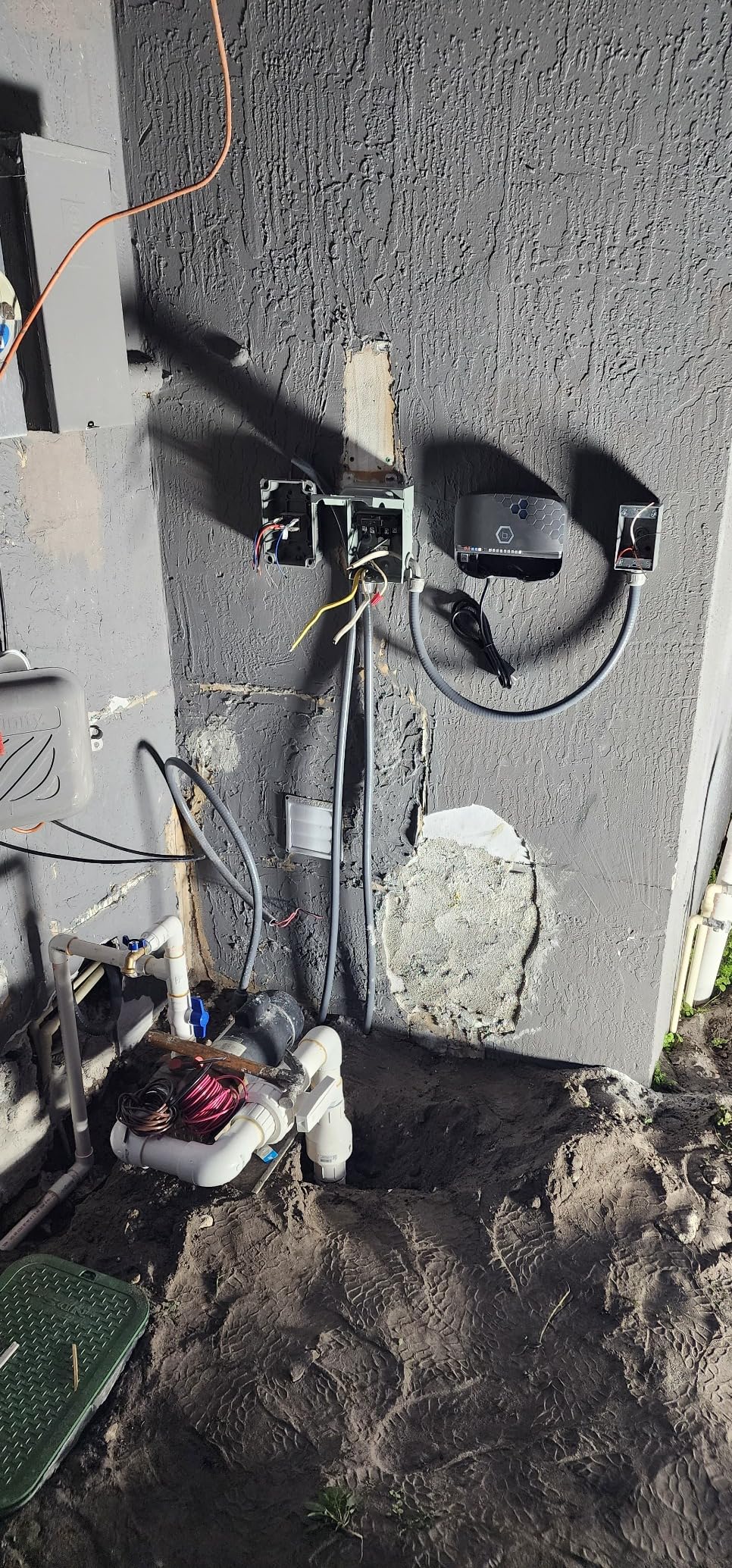
Funciona perfecto la app es muy amigable y el diseño esta excelente moderno lo recomiendo
M
Marana B.
Easy Installation and Wifi connection

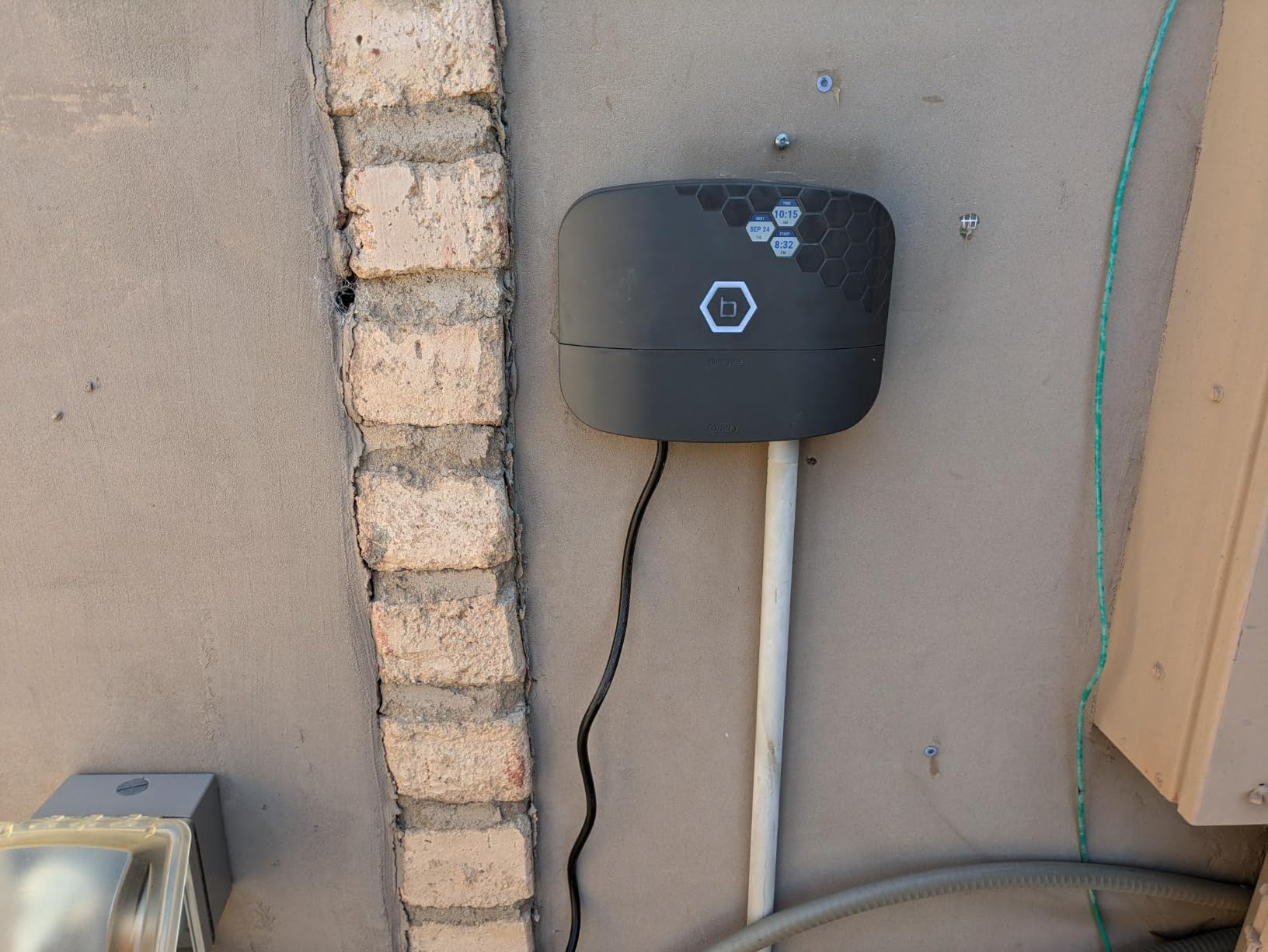
One of the easiest installation/wifi connections/and programming
J
Julian
It works,

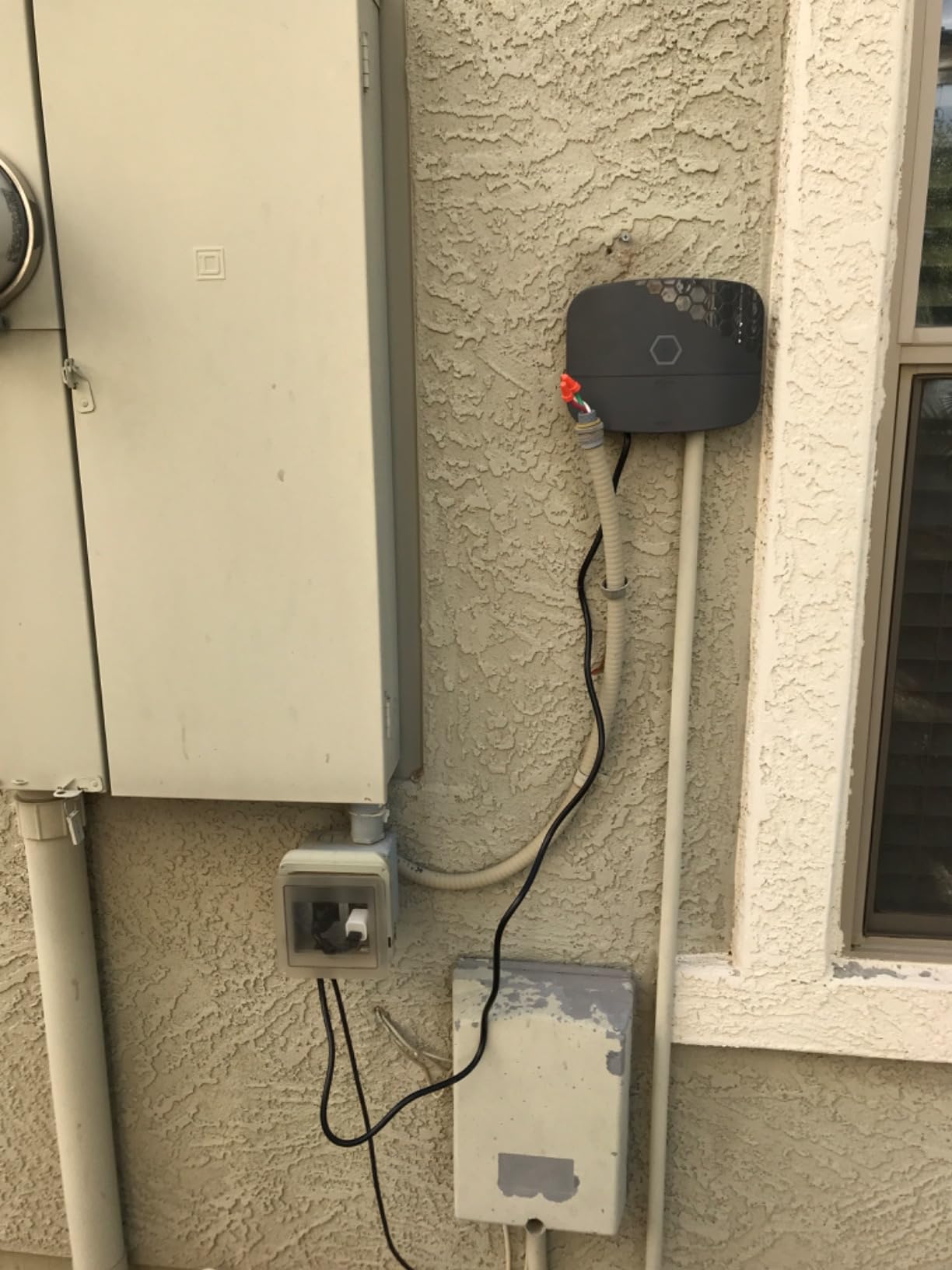
I had problems connecting to Wi-Fi like many others, I connected it Bluetooth first to se if I can control it that way, it worked.Afterwards I turned my routers security off, so no password would be needed, I then tried connecting to Wi-Fi and it worked. I did an update to the bhyve. Then I set up my zones. After everything was set up I turned security back on for the router and did an update WiFi settings in the Bhyve and it connected. I turned smart watering off because I want to control it myself and not the weather conditions.It works great when it’s working, only issues I’m having is the Wi-Fi disconnects, it still waters and follow schedule, I just can’t see or get notifications.if I’m home all I do is hit the update Wi-Fi and it finds my Wi-Fi and connects. TestI decided to turn off security on the guess network just to see if it still disconnects from Wi-Fi. I’m using the 2.4Ghz band and my SSID broadcast is set to off, this makes it invisible to others and you actually have to know the name of it to connect. If this works then I will try using WEP2 on router and b hyve , my thinking is this b hyve device uses lower level security better like WEP1 WEP2, I will update findingsThe image I have 2 zones , the power cord is connected to an outlet for now, but I have hard wires from my old system, so I’m am going to open unit up and remove cord, and wire nut the hard wires in. I saw it on you tube
R
Ron G.
This water controller is amazing

I have a smart home in every way. Now it includes irrigation control as well. The B-Hyve is very easy to install. I had the entire system setup in about an hour including mounting the device. I have learned everything there is to know about the device and connected it to Alexa. I feel very confident that it will save water and end needless watering. I will definitely rate the B-Hybe as 5 stars.

C
Clif
Pretty smart (be sure to jumper the rain sensor if you don't have one)

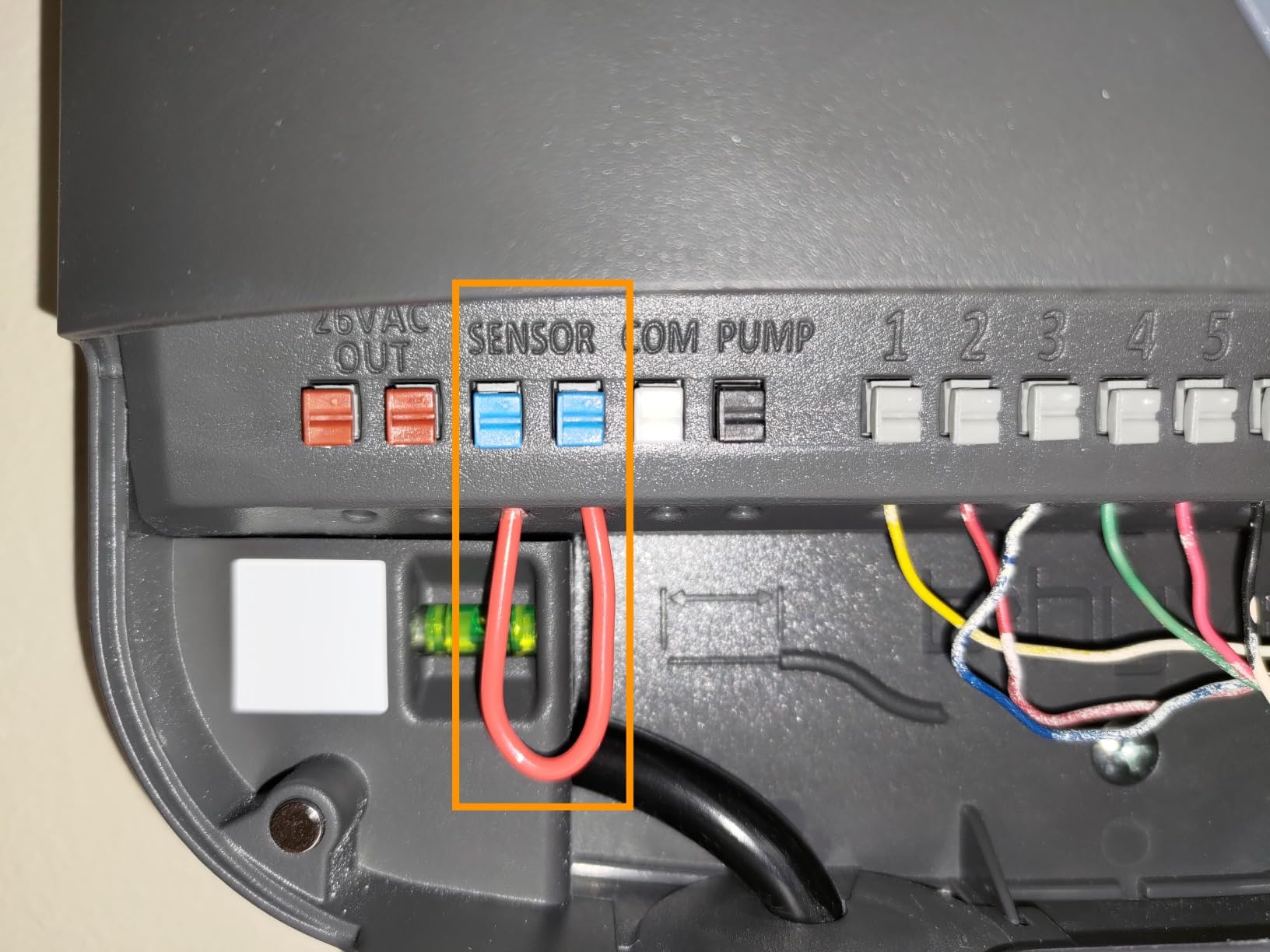
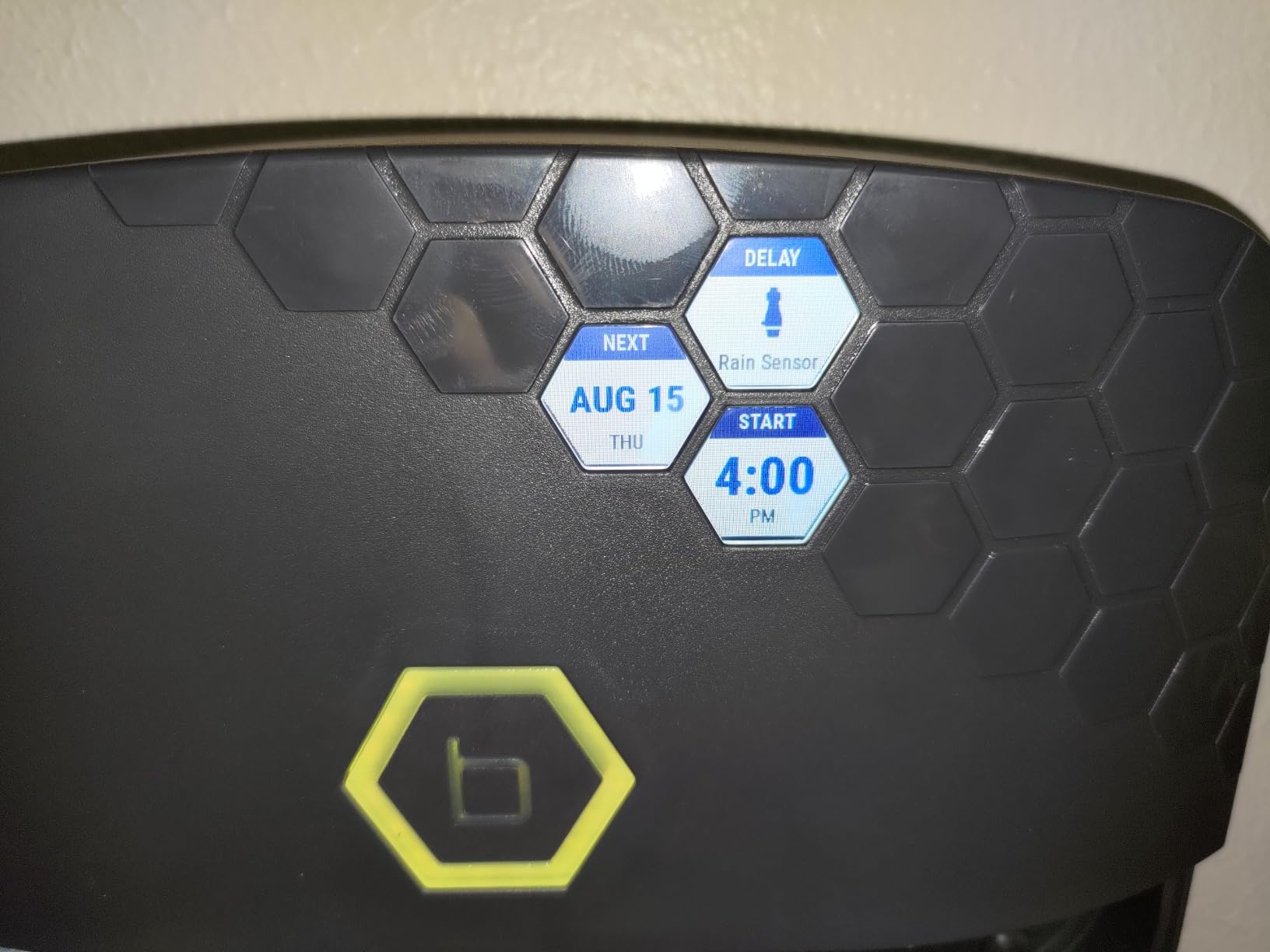
Works well. Hot-swapped with my old dead controller in twenty minutes, and configured all of my zones in another twenty. The app UI and logic could use some tweaks, like not hiding primary features under secondary menus, and the ability to create more than four programs, but the running UI is nice, the notifications work well, the watering history is great to have, and continuing to run even without an ongoing internet connection and controlling directly via bluetooth are excellent features.One caveat for anyone else out there who can't figure out why their programs will run manually, but are skipped during scheduled run times, due to a warning called out in the app: "Watering is suspended because of a Rain Sensor", and a yellow blinking B at the box, with the information of "DELAY: Rain Sensor", when you DON'T HAVE A RAIN SENSOR.The solution is to jumper the two rain sensor leads to each other.I had to discover this the hard way because my unit came without a jumper preinstalled or in the box, and so I was at a complete loss, digging through various online forums, trying to understand why my sprinkler controller was apparently communicating with a ghost rain sensor, and where in the various settings in the companion app that I could just disable it (you can't), or discover how rain sensors actually work electrically, until I just decided to try to short-circuit, and 5 seconds later my unit display went white, and ran its timed schedule.
d
dezandseth
Why Did I Wait So Long???

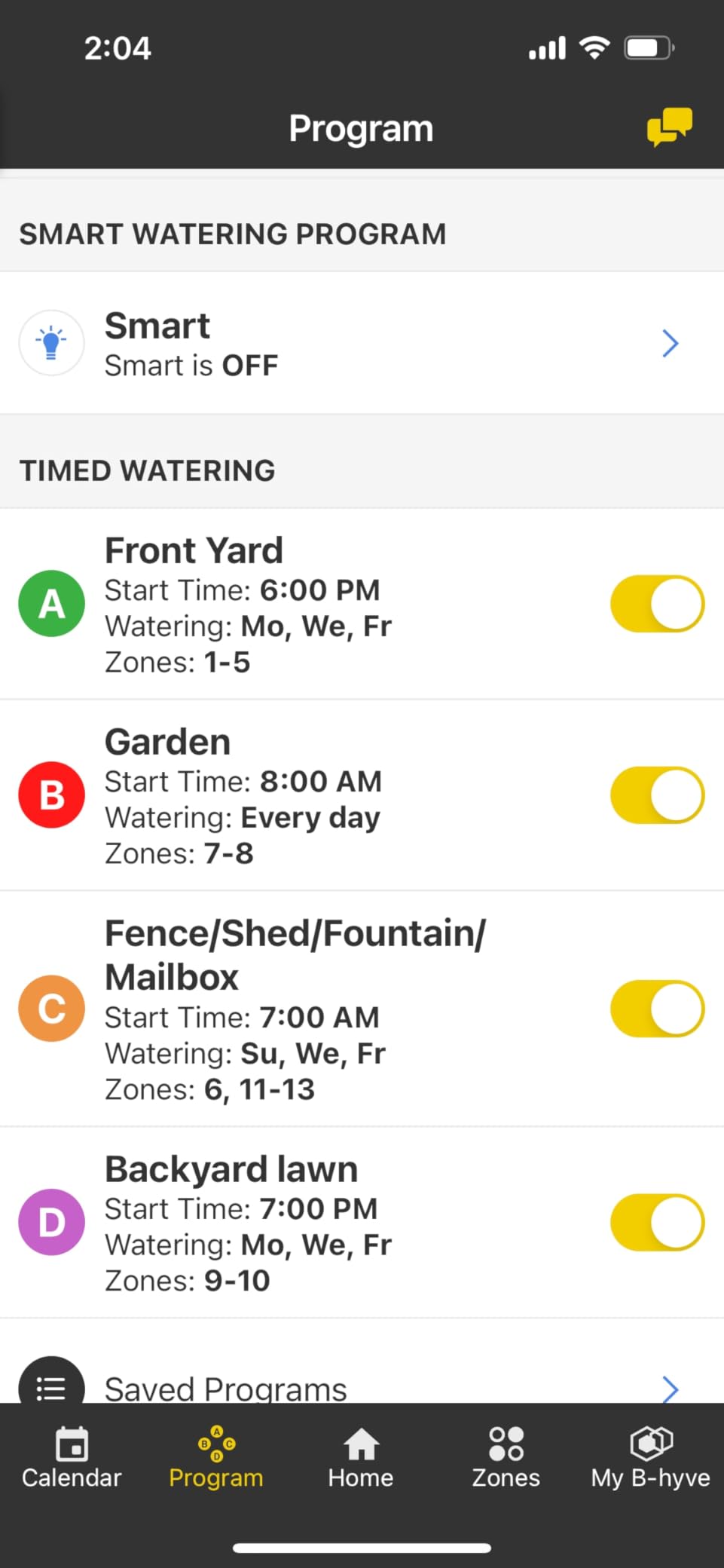
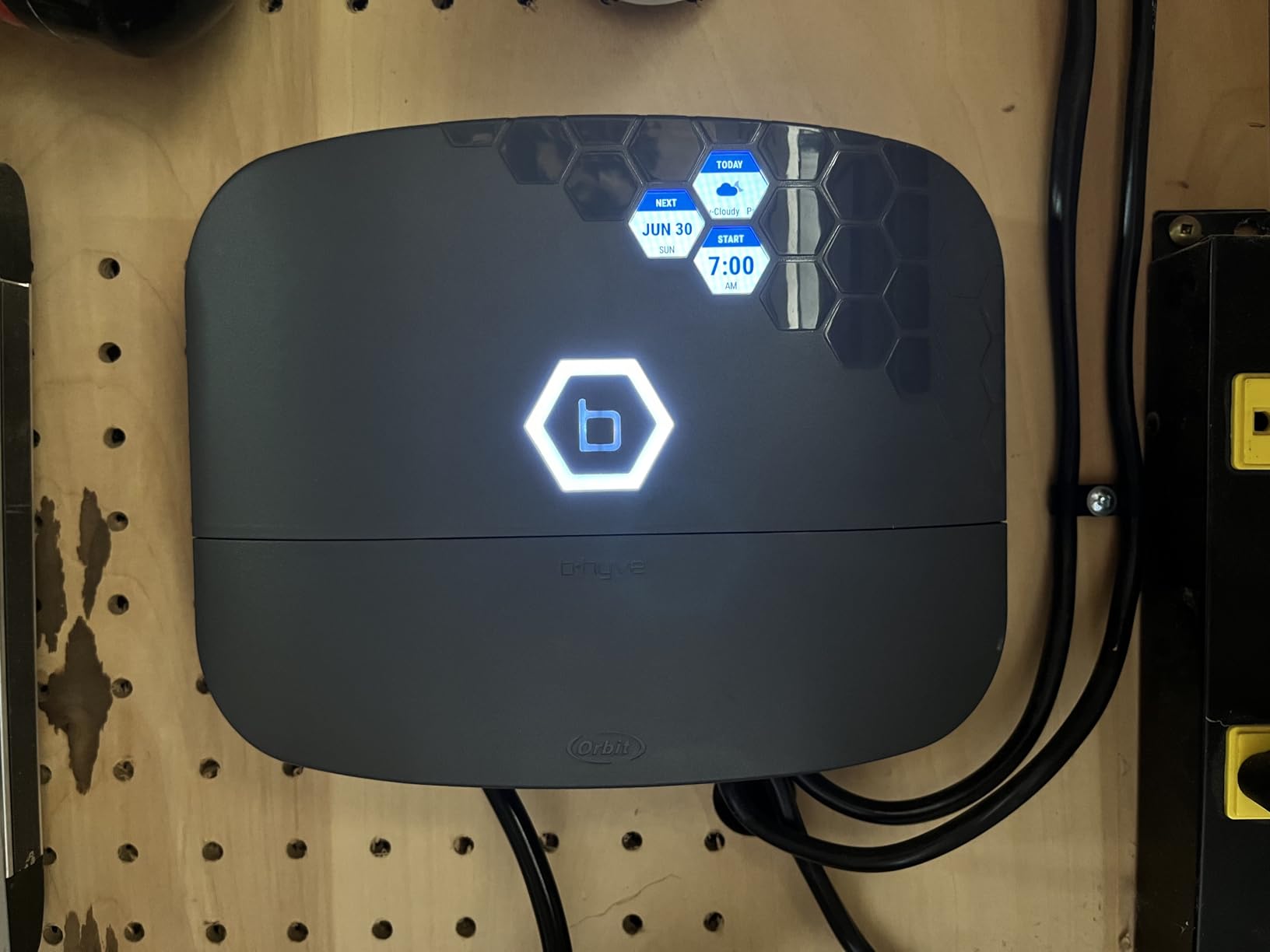
We have a lot of sprinkler valves. We had an older Orbit controller that would do 5 stations in our front yard and another controller for 8 stations in our backyard. Both controllers were in my garage/workshop but mounted on opposite walls. The one for the backyard was always blocked by my woodworking equipment so it was a hassle to get to when we wanted to run a station manually or test a station for whatever reason. Additionally, if we were in either yard working on a sprinkler or planting new plants and wanted to test it, we'd have to go all the over to the controller, push through the buttons and run it. I know, i know, first world problems.We've been considering this B-Hyve unit for a while and now that we finally pulled the trigger I can't believe we waited so long!Wiring the sprinklers into the unit was easy. I recommend having a small flathead screwdriver and needle nose pliers handy as these might make it easier to get the skinny wires into their slots.Programming the unit was very straightforward and our phones were connected to the app in no time.It's so nice to be able to name the stations AND associate a photo with each station.The most helpful thing on the planet is to be able to be working at the far corner of the yard and be able to just run a specific sprinkler within about 8 seconds. Just open the app, click "water manually", select the station, the duration, start! This B-Hyve makes it so easy to run the sprinks.Inside the panel cover you can find instructions for running the stations in old school manual mode in the event that you may be having wi-fi problems at the moment. The print is very small though, so keep that in mind.*ONE CONCERN*After the first week of using the B-Hyve we noticed the button lit up RED and said we had a fault at station 5. We did a quick search online and came to the conclusion that it could be our solenoid at that station was bad. After testing the solenoid we found that to be the culprit. We replaced it with a spare we already had and we were back in business. About a week and a half later we had another RED fault, this time for station 7. I thought okay, i'll take care of that this weekend. A couple days later I noticed the RED fault for station 8 as well. So now I e got faults on 7 and 8 at the same time. One day later I noticed the fault for station 8 simply disappeared. So I replaced the solenoid on station 7 and it was all good. It's been a couple weeks now and no new faults have shown up. I was concerned that the B-Hyve was perhaps sending too much electricity to the valves and blowing the solenoids but I also realize solenoids go bad and maybe it was just coincidence. Time will tell.I don't use the water saving feature...i don't really care about "saving the planet" and I have my program set to run on a schedule that works best for the beauty of our landscape.The B-Hyve supposedly shows your local weather info but even after entering my 92026 code during setup, i've noticed the weather it tells me is FAR from accurate. No big deal because I have eyes and an actual weather app.*MY ONLY COMPLAINT*While this B-Hyve can do 16 stations, it still can ONLY have 4 programs (A,B,C,D) which has caused me to adjust the schedule of a couple of my stations and I have to run them at time when I wasn't running them before with my old system. ORBIT...if you read this, PLEASE do a software update that allows us to add more programs....like at least A,B,C,D,E,F,G. That would be SO SO SO HELPFUL!!🙌🏻All in all, very happy with the B-Hyve. Wish we would've gotten this thing a few years ago!
C
Caryatid
Super easy to use

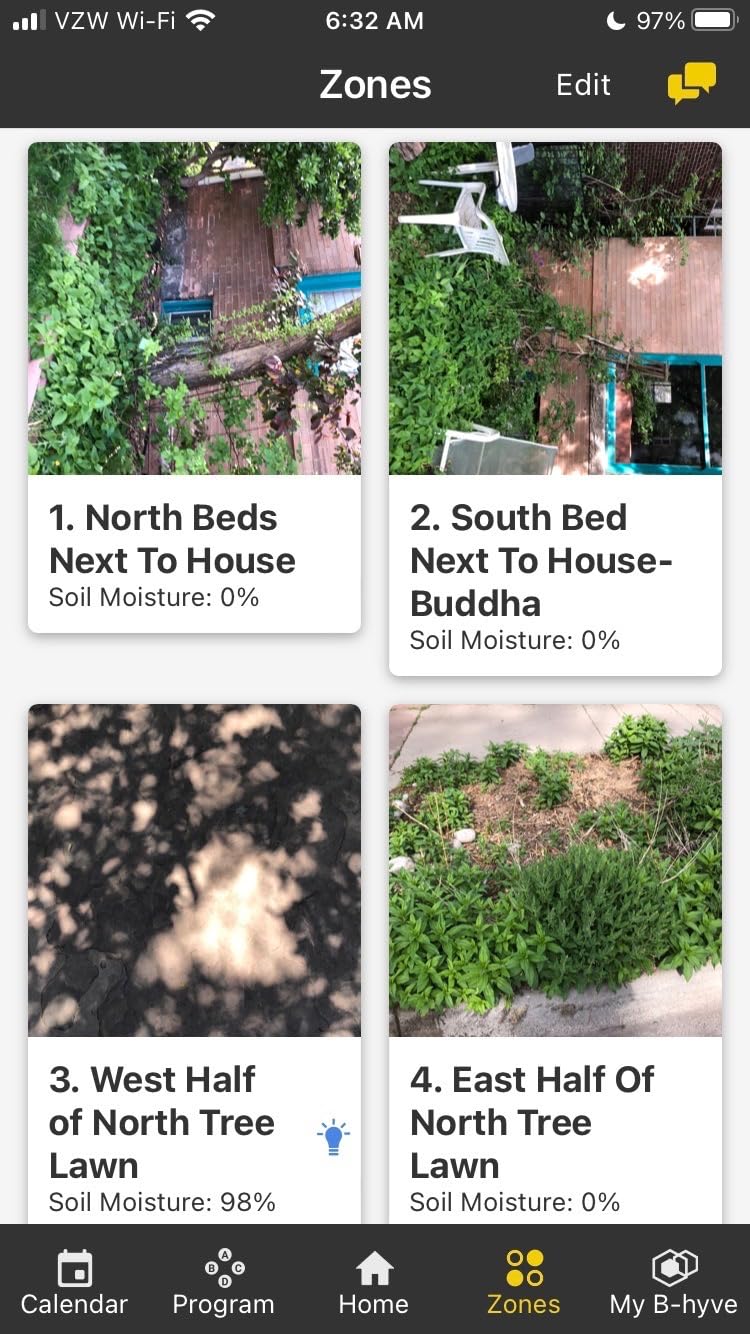
So far I love this controller. I’ve had it for a few weeks now. I am setting up micro-sprayers on the drip system this is controlling. I can turn it on and off from my phone, which saves me running over to the controller to turn on the zone, running back to look, and running back to turn it off again. Since I have 30 micro sprays, that’s a lot of running I don’t have to do.I like the smart watering so far. It’s easy to set up and runs on its own. I haven’t tried making any adjustments to it yet.There are a few things I am hoping they will modify in how it works;1. You can choose “drip” as the sprinkler type but then you can only have up to 99 drippers on a zone, which is way to low if you are using regular drip line. It seems to be clearly based on a standard spray coverage; it doesn’t as for the are of the zone nor the output of the drippers, so I’m pretty skeptical of its soil moisture calculations and generally any output information.2. It has me name each zone with words like: North Tree Lawn. I also can take a picture which shows up in the app. But, when I go to set up the zone, it only gives me the NUMBER of the zone. I have to do back, back, back in the app to figure out which number my named zone is.These issues are minor, I am hoping Orbit reads reviews. I’ve never used such an easy to set up controller. I really love it.
M
MK
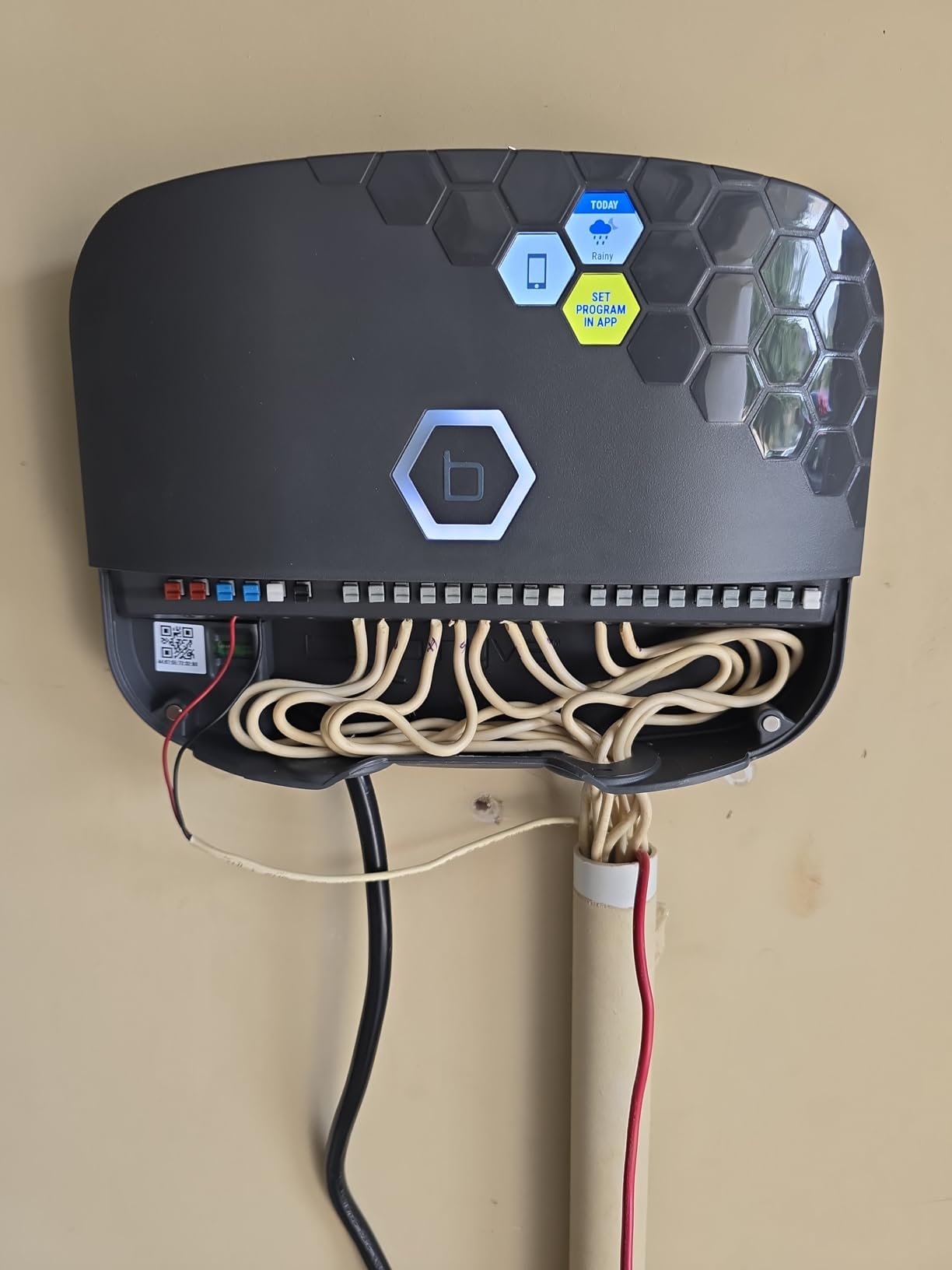
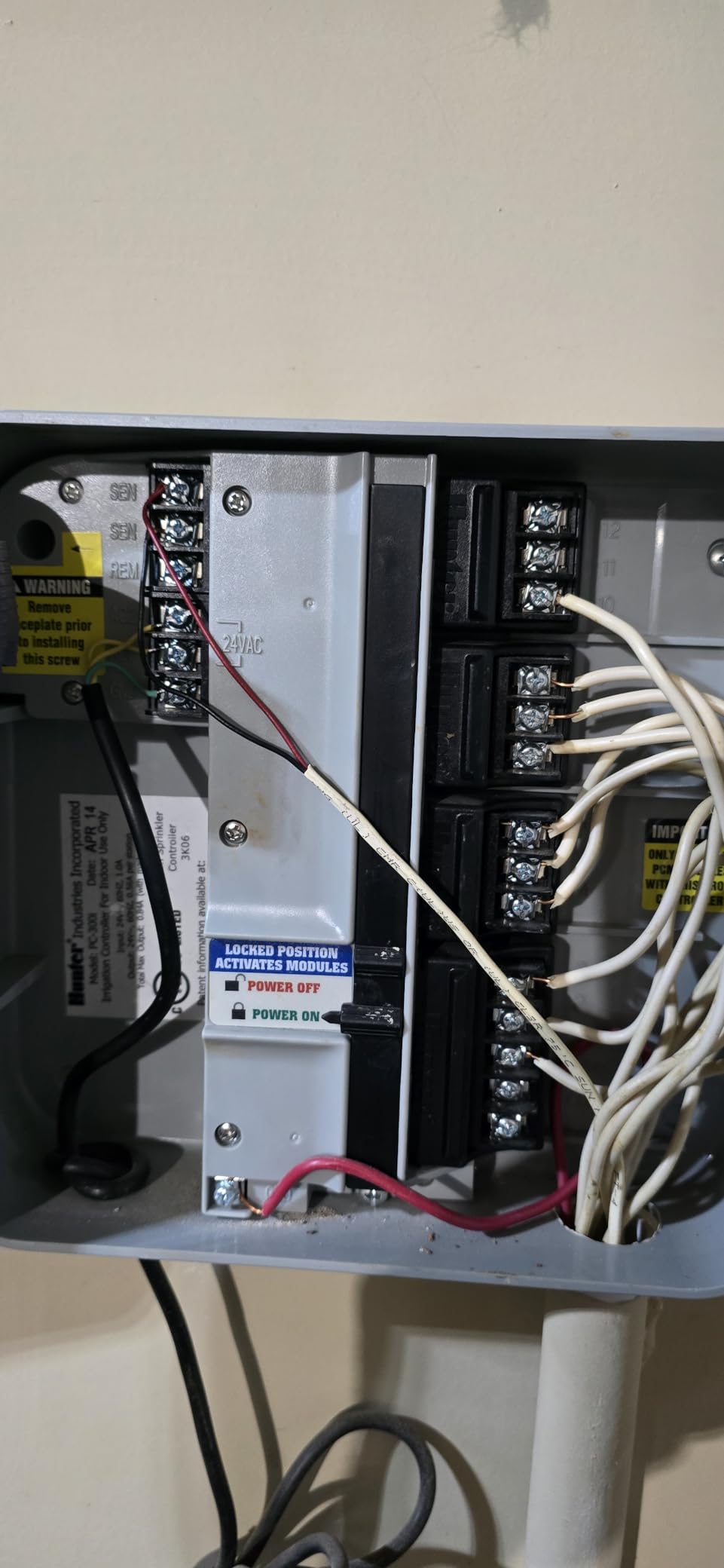
Upgrade to B-Hyve XR from Hunter Model 3001

I was able to program, move wires and connect them all with ease. It took me a total of 30 min to set it on the wall and program it. Was a breeze right?...not exactly..I have 10 zones and when I manually tested the zones. They all came on live but the valves were not opening. I called tech support and here came Francine (spelling?)1) patiently watched me rewire stuff, As they were all labled, ot wasn't hard.2) as you seeing the hunter picture.. there is no Com wire. There are onlyWhite wires for the zonesTwo sensor wiresThree wires from the Hunter AdapterONE RED GROUND WIRE. Connected to the Ground bolt on Hunter.3) Since there was no Ground nut in the BHYVE, I ignored that.4) Since the adapter is already wired into the transformer of BHYVE. I did not worry about connecting that.5) Sensor wires were connected back..6) only thing left hanging was the thick red Ground wire. Then again Ground was needed...as there was no nut to connect it to.7) when we restarted the unit noting working.It was not turing the Valve open. Since it was an old Hunter, and they may have rigged it for a work around we tried every permutation of the sensor wire, as it actually Green lit the BHYVE, yet the valves did not open.Manually went and opened each Valve and they all worked. Oh. The hunter was working before I moved it to BHYVE... throwing out there. 😀So she figured that We need to have a COM connection, and asked me to look around to see if anything is connected to a relay.. etc. Nope these were the wires..and only thing that was a lone ranger was the Red Ground wire that was connected to the Ground nut in hunter..Then she came up with a suggestion to put the Labled Red GROUND WIRE, to the first CoM in BHYVE unit...well. that did it.. works like a charm now. Thank you Francine...
R
Research360
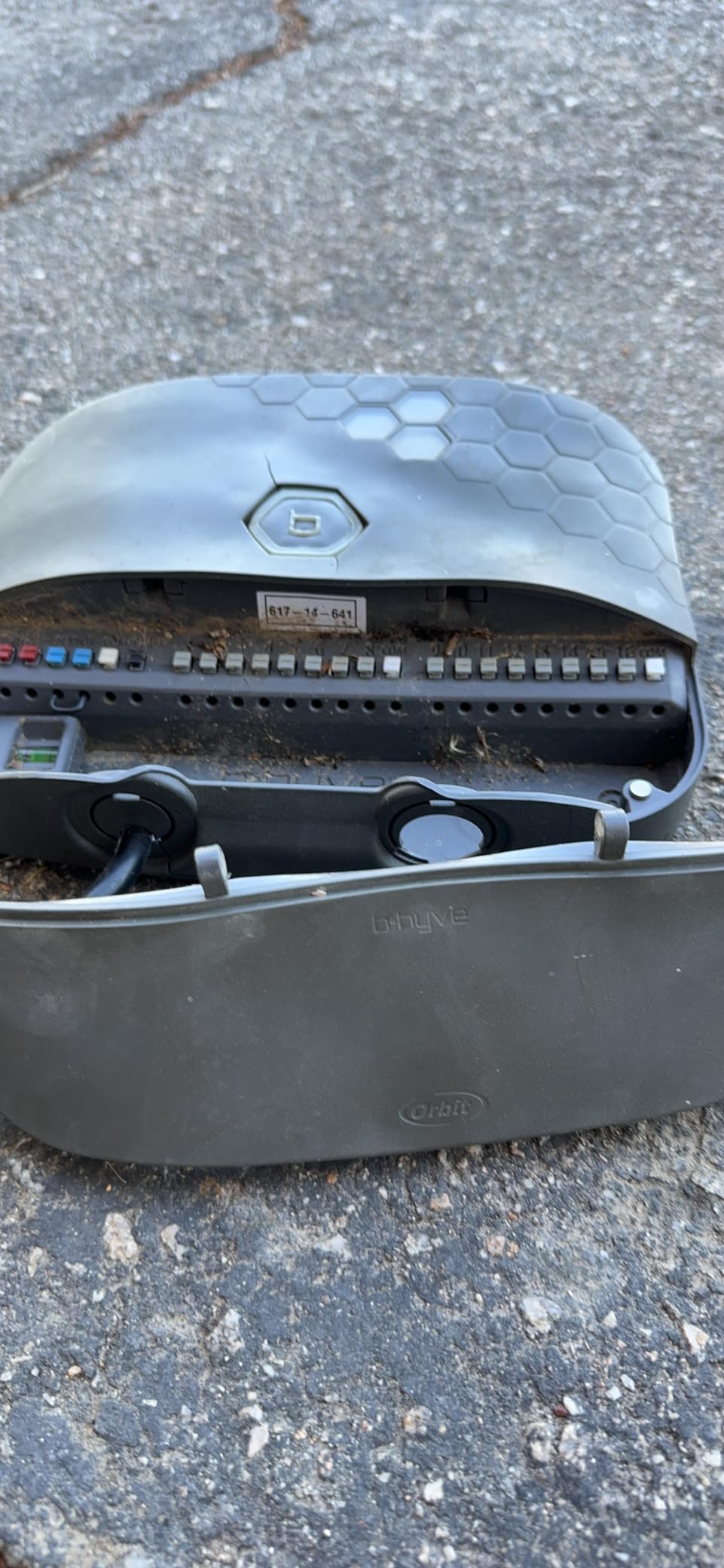
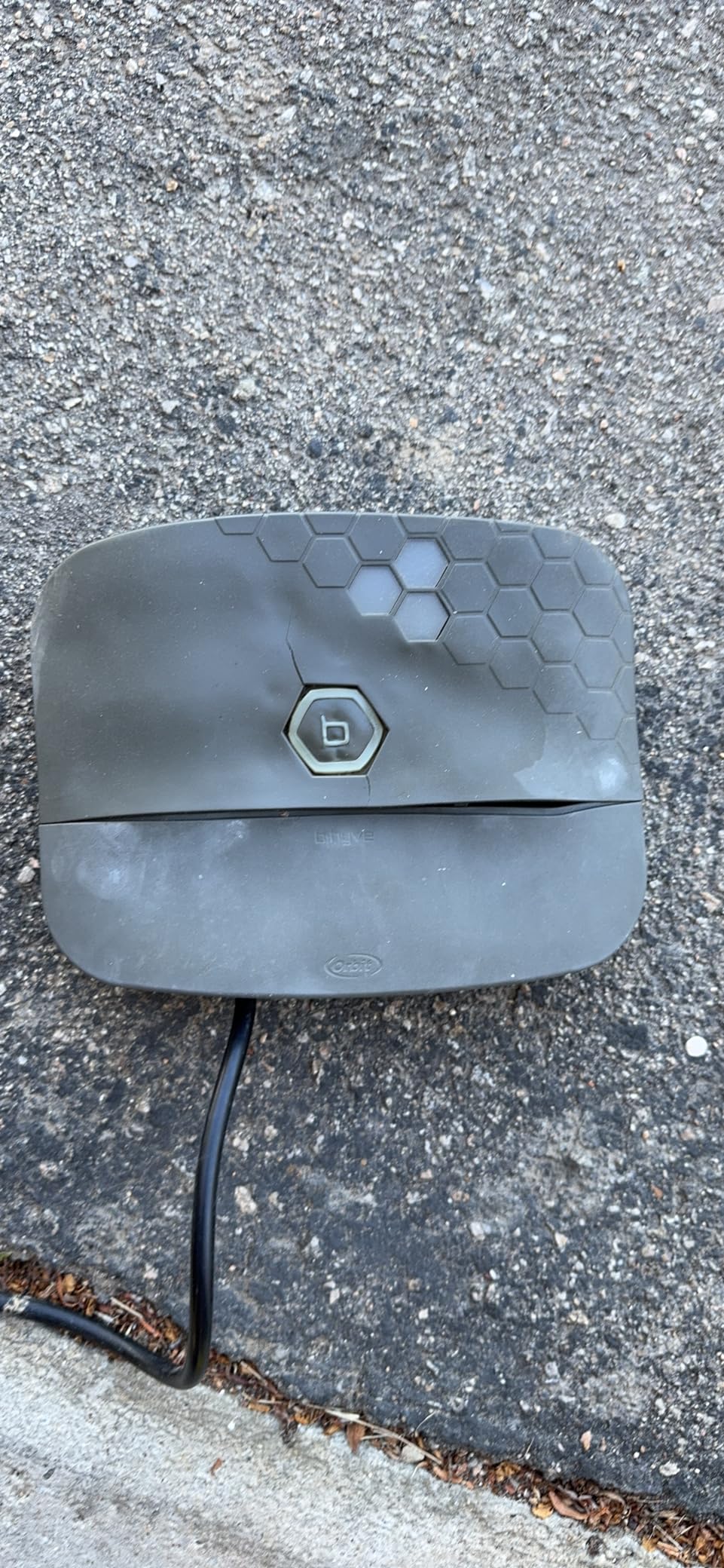
Great timer but keep out of the heat!

Had to buy another one after 2 yrs. First one melted in the sun. We are in California in an area where temps reach 110f (44c) which is hot but not crazy hot. Looked for another brand cause I was dissatisfied but could not find one to do the same performance for the price. I put a shade system over the new one. See what happens.
M
Mike
Easy to install

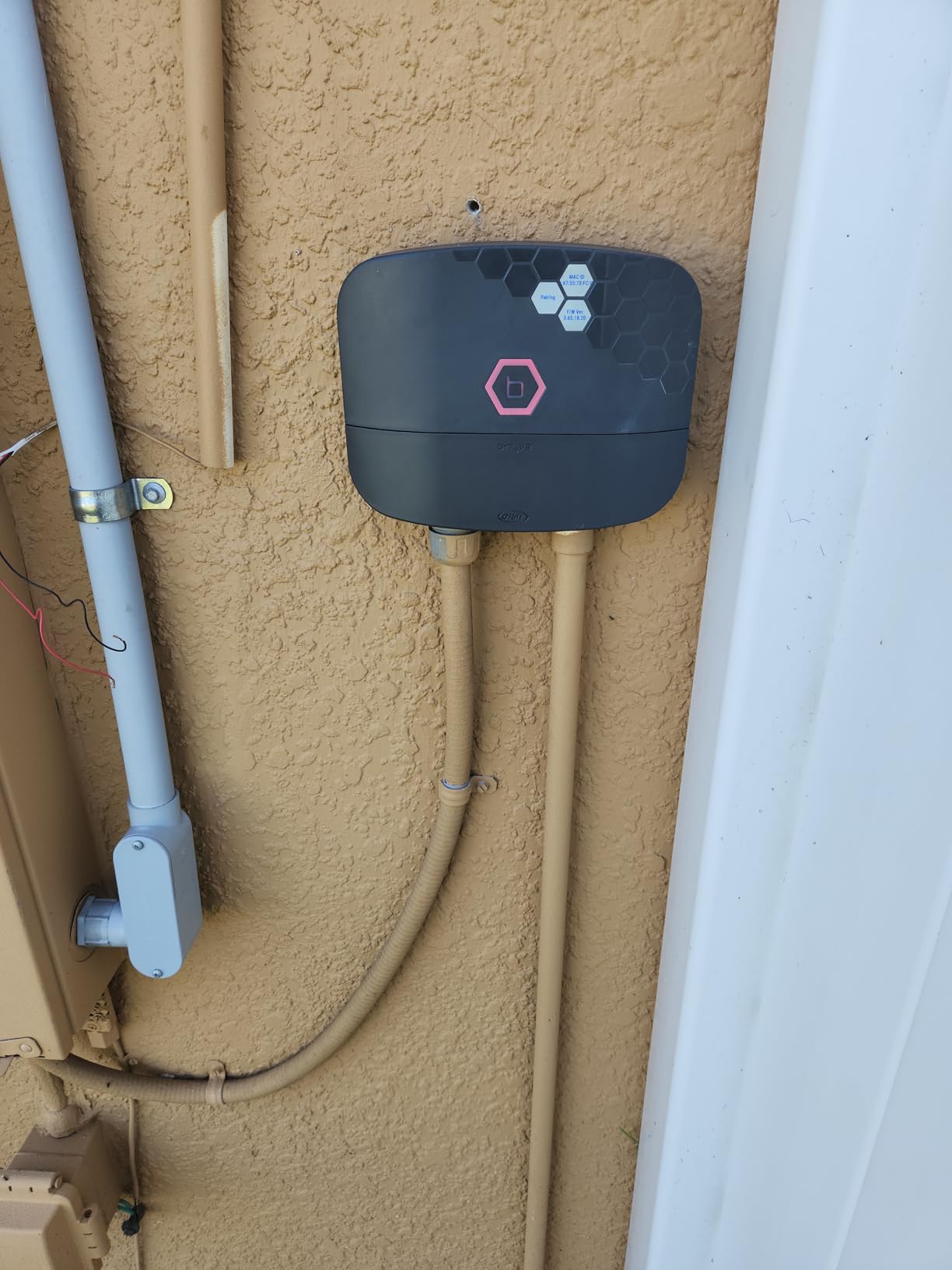
Simple to install, done on a Sunday afternoon in 45 minutes, includes the removal of the old unit.
I
Iggy T.
To B-hyve or Not to B-hyve.. that is the question?

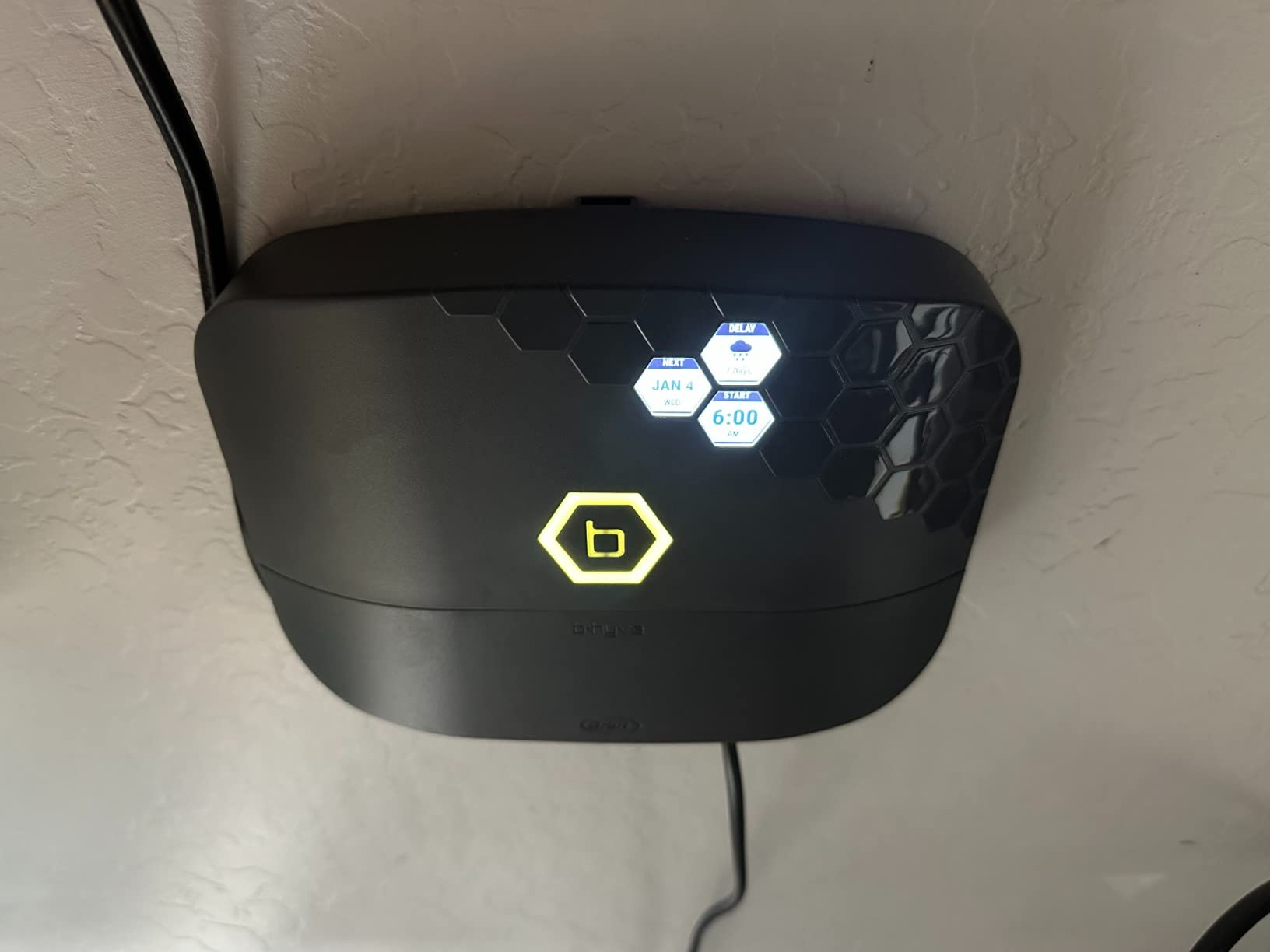
The B-hyve XR Smart 8 Zone controller was what I needed to get into the 21st Century.My old 2005 Orbit was rock solid but time to move forward as I needed a controller that I can monitor and control while travelling away from home. Being in the hot summer Arizona is critical for my drip system. If I have a main drip system main line blow out I need to know ASAP and this does the trick in telling me.The APP worked well on my iPhone 14 with ios16. Setup and mounting were easy as I had new wiring, valves and a wall location inside my garage picked out ahead of my delivery of my controller.I did read the instructions a few times prior and you will need firmware updates as soon as your attach to your smart phone bluetooth and home wifi network. Firmware update took a few minutes.Instructions leaflet has very small print and you must have reading glasses. lolOne thing I can suggest to ORBIT about the XR is to clearly clarify the difference between standard everyday watering schedule and the SMART weather, soil, climate setup scheduling.The SMART weather scheduling needs to be explained in detail manner so a beginner/newbie can understand.Terminology definitions is a must as some terms I had no idea what they meant. The existing written instruction and help area online was written by someone who knows the system but can't write for beginner/newbie owners. You always write to the lowest denominator. This needs to be done ASAP to eliminate many frustrated customers and calls to a human which is near impossible.Orbit says it will have an email address soon to ask questions but presently doesn't exist.So my overall opinion is:I give ORBIT 4 Stars because they need to consider the Customer 1st instead of themselves and spend more $ on good and clear instructions for Beginners like myself.I like the SMART watering system and I stayed with ODD day watering until I feel confident with the weather reporting station locally.I presently have my system in a Rain Delay for 7 days and stopped all schedules which is a nice feature that can be controlled by the APP.I also later learned that all the control lights can be turned off on the controller screens but had to dig deep to find that switch.Time will tell how well the controller holds up.Additionally:Why is the instructions of LEDs/Manual control only behind the cover? Why not have it in the manual or even better online with big print. See attached PictureI did read that in the past some have had to do a full factory reset to eliminate some problems in programming.I also want to know if my setup is saved on my APP or online just in case I have to do a factory reset.Hope this review is helpful to new and future owners.Great controller but ORBIT needs some work on itself.
S
Southern S.
Well Thought Out Irrigation Controller

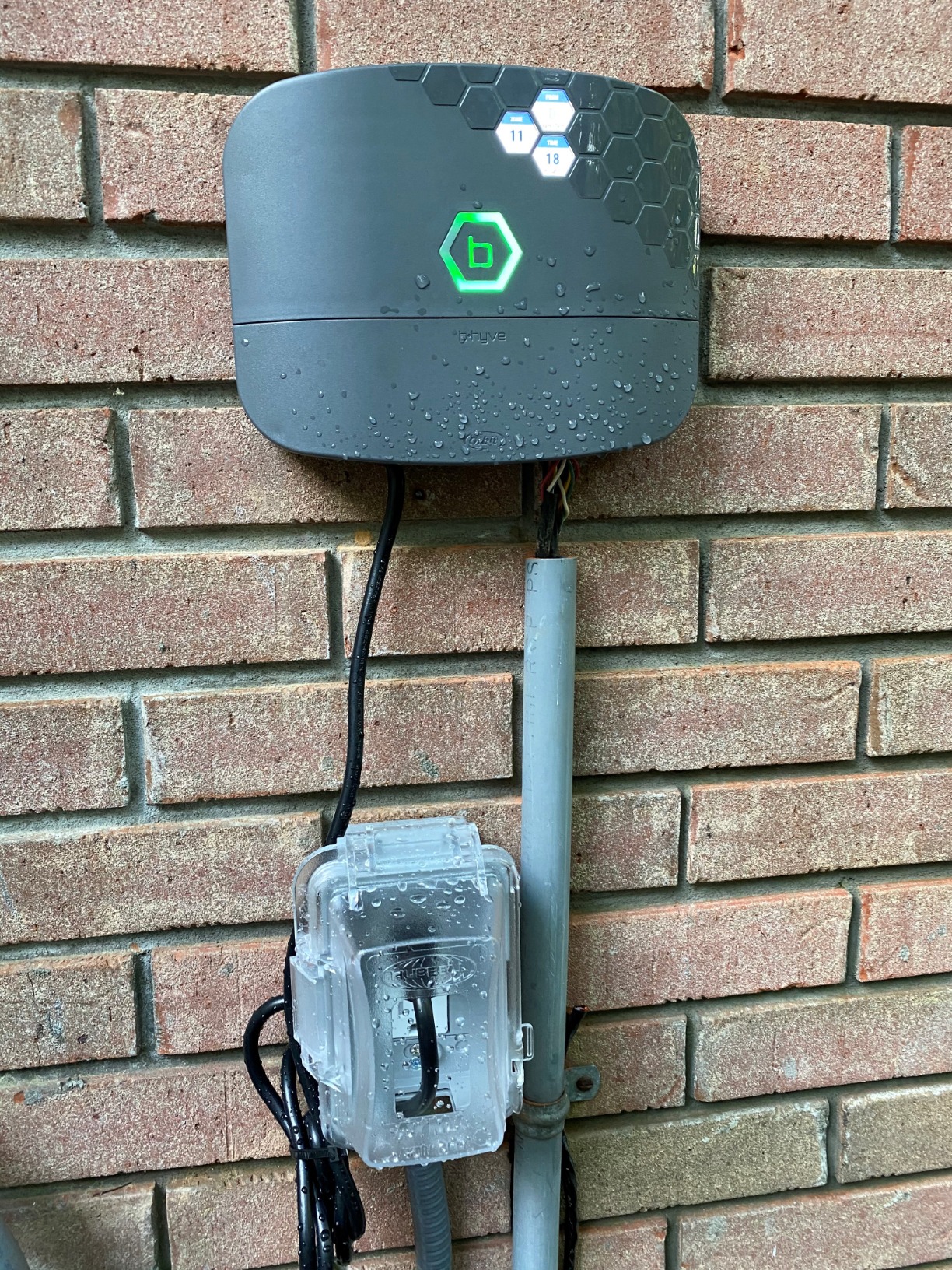
I replaced a 25 year old RainBird 16 zone controller with the Bhyve 16 Zone Controller. It has been active for a couple of weeks and I will follow up periodically with additional comments.I can say, today, that the installation, integration and configuration of the system was intuitive and well documented. The instructions were a bit sparse at first glance but soon became secondary as the device self connects, via the iOS application on my phone. The configuration of the device and the programming of irrigation strategies was very straightforward. The system was operational about 2 hours including securing the device to my brick wall and adding a GFi receptacle.I have an outside, "Access Point", for my WIFI that is very robust and had no difficulties finding and maintaining a good connection. I suspect there could be challenges if your WIFI connection is not strong.Connecting the old wiring to the Bhyve is vey straightforward. Requiring only stripped wire ends, each connection is made by pressing a pushbutton, inserting a wire into a small hole under the pushbutton and releasing the button. Please note the "common" connections, one on each bank of 8 control outputs. Typically this is where you will connect the white wires in the wire bundles coming from your valves.Having made the connections, I used the App to test each zone. Being able to walk around the yard and start and stop the various zones is VERY useful.I then programed the device, again via a very good user interface on my phone. 16 zones completed in less than 5 minutes.The system automatically located and integrated the local weather forecast to monitor for rain forecasts. on several occasions the system has, "pushed", the day's irrigation because of rain being forecast. Note that you can always force the delayed irrigation with one click.I like getting the updates on my phone informing me of the start of the day's schedule, it's completion or its delay. There is a certain Kool factor for me in seeing this sort of update.I had a bit of a challenge integrating the Bhyve with my ALEXA account, not realizing you have to add the, "Alexa Skill" to your home Alexa Account. When I added the skill everything connected seamlessly. Note to Orbit: A bit more in the instruction sheet about the ALEXA connection would be helpful.I have not used the, "Smart Watering", programming capabilities built into the software. There are no restrictions in the use of water for irrigation in Auburn, Al.All in All, the Bhyve System was a easy install, and has performed as expected. I wanted to share my experience and will update this in 6 months to share my longer term take on its performance.Bill...Southern Smoke.
M
Marco

hello,
I write from Italy.
Is there a 240v version?
Thanks

Orbit

There is a 220V available in European regions so you would need to reach out to your local distributor for this version.

W
William E.M.

can the timer be accessed and controlled via smart phone ap

Orbit

Yes, all of our B-hyve timers can be controlled with our B-hyve mobile app.

Related categories

Free Shipping

When you spend $50 or more

Here to Help

Get in touch with us 7 days a week

Easy Exchanges

Return or exchange within 30 days

Compare products

{"one"=>"Select 2 or 3 items to compare", "other"=>"{{ count }} of 3 items selected"}

Select first item to compare

Select second item to compare

Select third item to compare

Compare

Select first item to compare

Select second item to compare

Select third item to compare

Compare